Neon Craft
Neon Craft expands on Astra Craft with a much larger world, authentic Minecraft-inspired survival and crafting, underground caves, dynamic day and night lighting, swimmable water and real-time room multiplayer. Everyone joins the same app and plays together in the same shared world.
Features
- Expansive 512 × 512 × 96 world spanning five biomes (sunlit meadows, oak and birch forests, golden deserts, snowy alpine mountains and spruce taiga highlands) with discoverable landmarks including a lakeside lantern dock, a northern neon watchtower and an eastern desert pyramid.
- Underground 3D caves with Coal, Iron, Gold, Diamond and glowing Neon Crystal ore veins.
- Dynamic PCF soft sun shadows, smooth corner voxel lighting, crisp 32 × 32 tactile textures, swaying wildflowers, airy tree-crown leaf sprays, glowing evening fireflies and extended view distance up to 12 chunks (192 blocks).
- Adaptive stereo Day/Night and cave soundtrack with spatialized animal and mob calls, morning songbirds, evening crickets and material-specific sound effects.
- Full survival crafting system: 2 × 2 personal crafting, placeable 3 × 3 Crafting Tables, working Smelting Furnaces, shared multiplayer Chests, openable Doors, climbable Ladders, Torches, Neon Lamps, Camp Beds and celebratory survival Advancements.
- Tool progression across Wood, Stone, Iron, Gold, Diamond and Neon tiers (Pickaxes, Axes, Shovels and Swords) with mining cracks, block particles and durability.
- Authentic swimming and diving in lakes and rivers, sneaking edge-guard, health, hunger, day/night cycle with stars and moon, dynamically roaming pigs, cows, shearable sheep, chickens and foxes, plus nighttime and dark-cave hostile mobs (Zombies, Skeletons, Creepers and Glow Slimes, toggleable via Peaceful mode).
- Switch seamlessly between Survival and Creative mode (with flight and full block catalog) anytime.
- Real-time multiplayer in the same RCWeb room with live block sync, shared chests and furnaces, room chat, custom explorer outfits, visible held tools and standard QR room invites.
Get started
Open Neon Craft in a modern WebGL 2 browser (older browsers show a clear compatibility notice with a Back to apps link). Use Options → Invite players to share the room QR code or link so friends can join the exact same world.
Explore, mine and craft
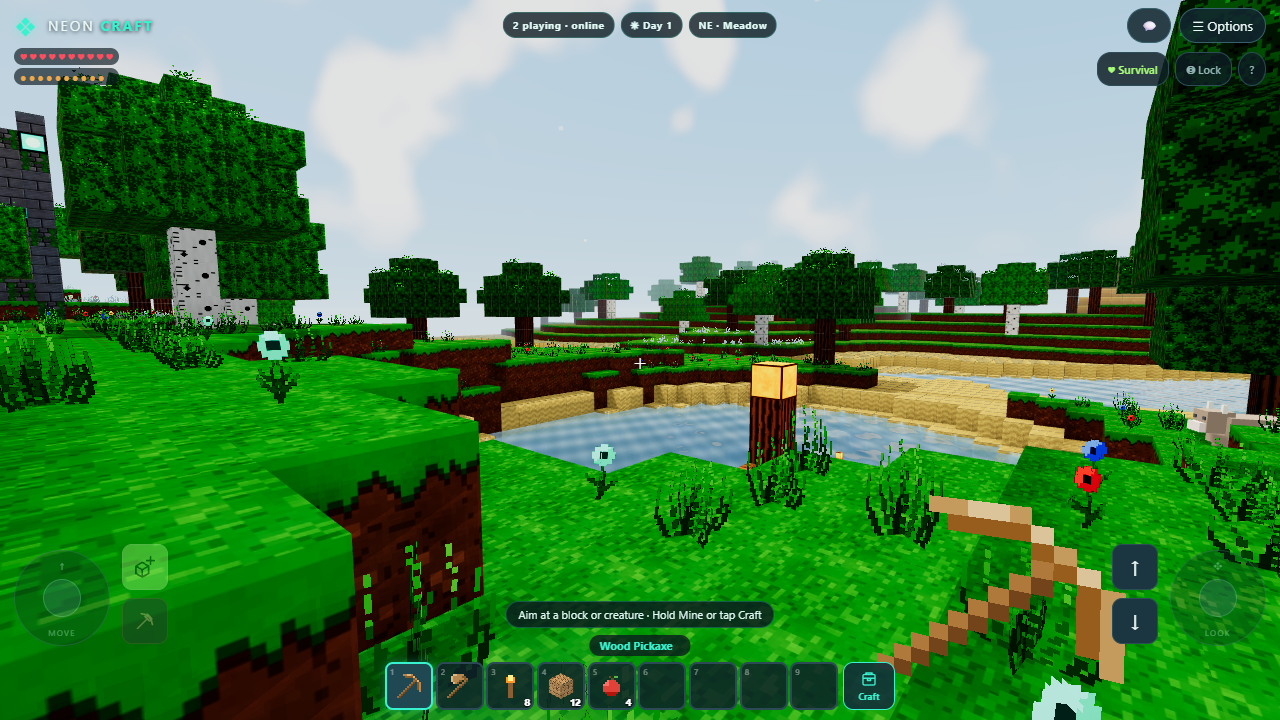
- MOVE (left pad) and LOOK (right pad or drag on the world): Walk, look around, swim through lakes and climb ladders.
- Mine (pickaxe button) or Q: Hold to mine blocks or tap to shear sheep for wool and fend off nighttime Glow Slimes.
- Place / Use (+ button) or E: Place the selected block, eat held food, scoop or pour water with a bucket, or interact with a Crafting Table, Furnace, Chest, Door or Camp Bed. Hold Sneak while pressing Use to place a block against a station instead of opening it.
- ↑ / ↓ or Space / Shift: Jump, swim upward or fly up (in Creative); sneak with edge-guard, dive underwater or fly down.
- 9-slot Hotbar + Craft button: Tap any slot to equip blocks, tools or food. Tap Craft (or press C / I) to open your 36-slot backpack, 2 × 2 crafting grid and interactive Recipe Book.
- Mode toggle: Switch between Survival and Creative mode anytime from the top pill or Options.
Crafting progression
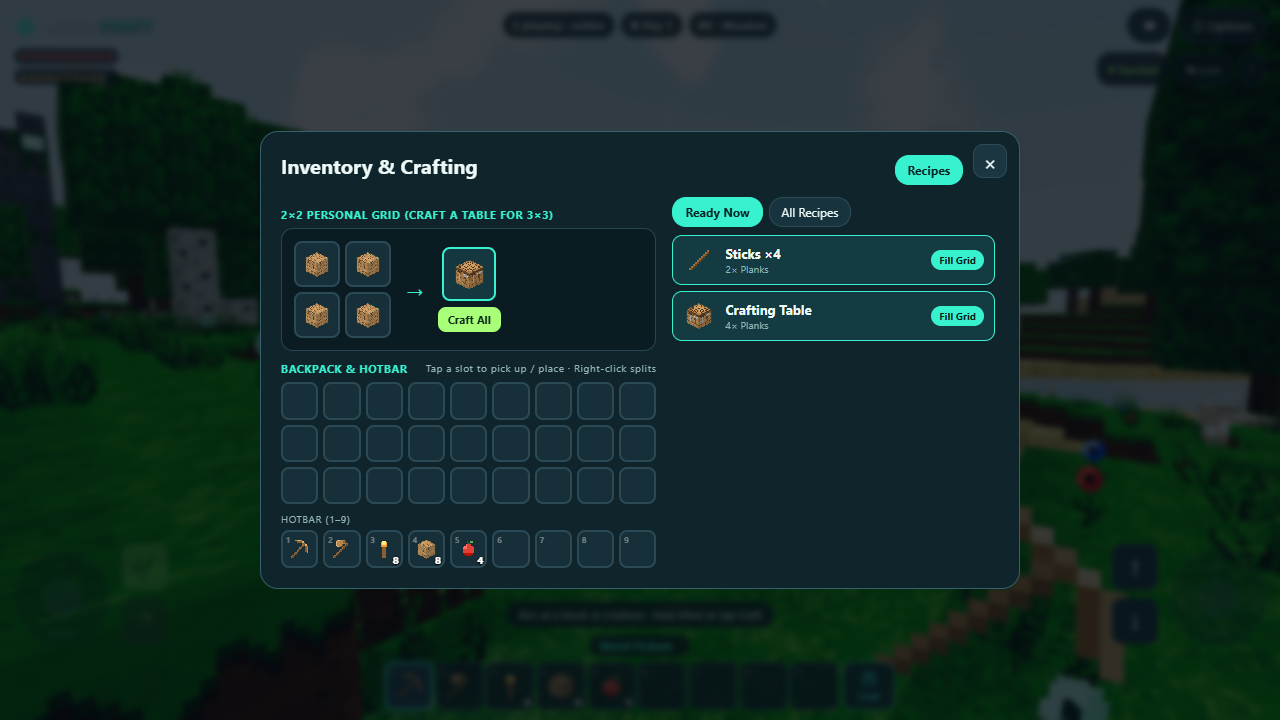
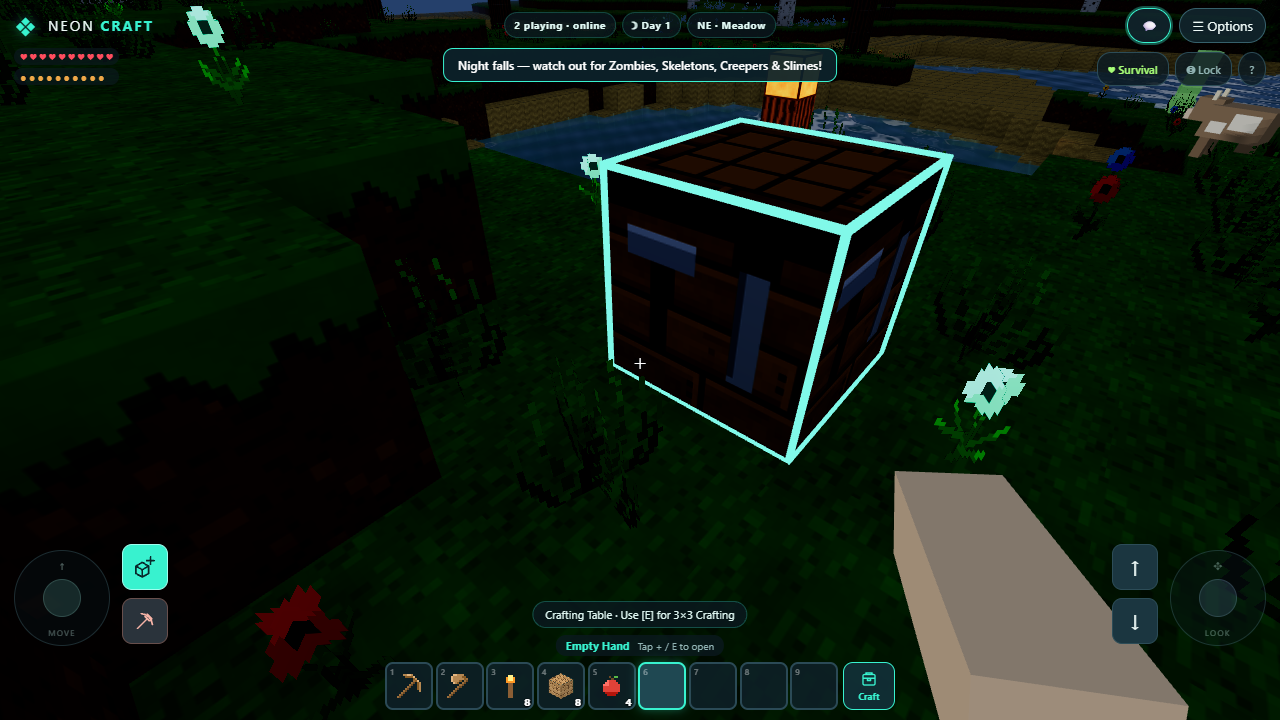
- Chop an Oak, Birch or Spruce tree to gather logs, then open Craft and turn logs into Planks and Sticks.
- Craft a Crafting Table (4 Planks), place it on the ground and press Use to unlock the 3 × 3 grid and Recipe Book.
- Craft a Wood Pickaxe to mine Stone (Cobblestone) and Coal, then upgrade to a Stone Pickaxe and build a Furnace (8 Cobblestone).
- Place Coal or Planks and Iron Ore into the Furnace to smelt Iron Ingots (or Sand into Glass, Logs into Charcoal).
- Craft Torches to illuminate caves and your base at night, Shared Chests to pool resources with teammates, and Camp Beds to set your respawn point and skip night.
Keyboard and mouse controls
- W, A, S, D: Move.
- Arrow keys or mouse drag: Look around.
- L or double-click world: Toggle Mouse Lock FPS mode (Left-click hold to mine or attack, Right-click to place or use, Mouse wheel to switch hotbar slots, Esc to unlock).
- Space: Jump, swim up, climb up or fly up.
- Shift: Sneak (prevents falling off block edges), dive or fly down.
- 1–9: Select hotbar slot.
- C or I: Open Inventory & Crafting.
- E / Q: Place or Use / Mine or Attack.
- T: Open room chat.
- F: Toggle Flight (when in Creative mode).
Multiplayer and saving
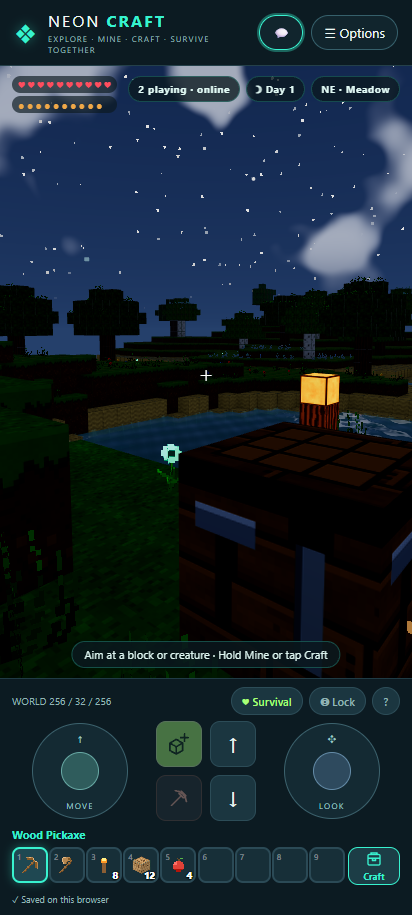
Every connected player in the same RCWeb room shares block edits, shared chest contents, smelting furnaces, world time, roaming animals and room chat. World progress saves automatically in your browser per room and merges edits cleanly across tabs or reconnecting teammates.
Browser compatibility
Neon Craft uses modern browser technologies including WebGL 2, ES6+ JavaScript, HTML dialogs, Pointer Events and ResizeObserver. Older browsers are detected before loading the game and shown a friendly warning with a direct Back to apps link.