Screensaver Controls
Phone-first controller for /screensaver/.
Features
- Choose from twelve animation preview cards, including Ripple Garden, Prism Drift and Contour Dunes.
- Compare twelve colour palettes using their swatches.
- Adjust motion speed and intensity.
- Select low-power display mode.
- Keep the viewer's information card visible, or let it fade after activity.
- Try Random saver for a new combination of animation, palette, speed and intensity.
- Return to the app list with Back to apps, keeping the same room.
Screenshot
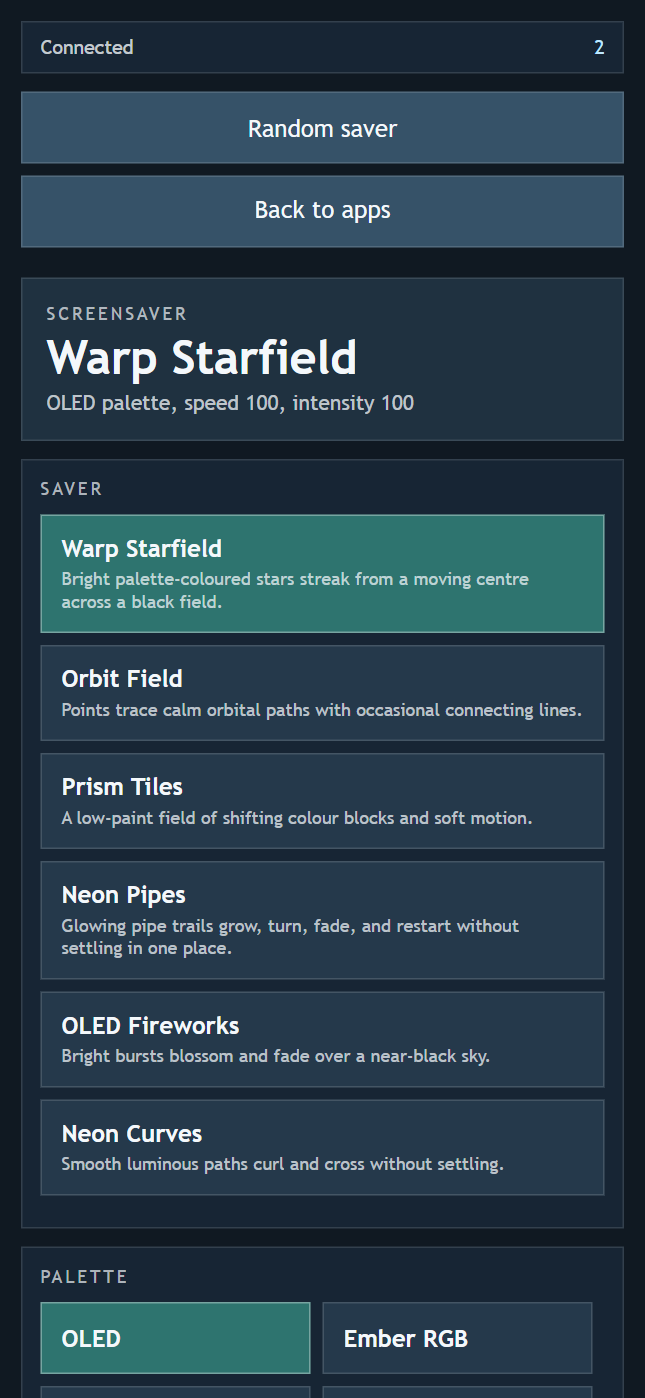
Use this app to select the active screensaver, palette, motion speed, animation intensity, and low-power display mode.
The controller uses the same dark cards, highlighted selections, sliders and switches as Clock Controls. Thumbnails are still previews; the animation runs on the shared display. Changes are saved on that display and reflected on other controllers in the room.
Connect
Scan the QR code on the Screensaver display, then select and tune its animation. Keep both screens in the same room.
Automatic Rotation
Use Automatic rotation above the previews to cycle through your selection. Choose Change every: 30 seconds, 1, 2, 5, 10 or 30 minutes, or 1 hour. Rotation starts switched off.
The checkbox in each preview's top-right corner includes or excludes that style. Keep at least one selected; Include all restores the full selection. Next moves to the next selected style in gallery order, wrapping back to the start.
Tapping a preview shows it immediately without changing its loop checkbox. When rotation is on, that style stays for the chosen period before the loop continues. Editing the loop does not interrupt the current display. The display saves the rotation setting, period and selection, and shares them with other controllers.