RCWeb Fluid Simulation Controller
The RCWeb Fluid Simulation Controller app (app/fluid-sim-c) is the touch surface for app/fluid-sim.
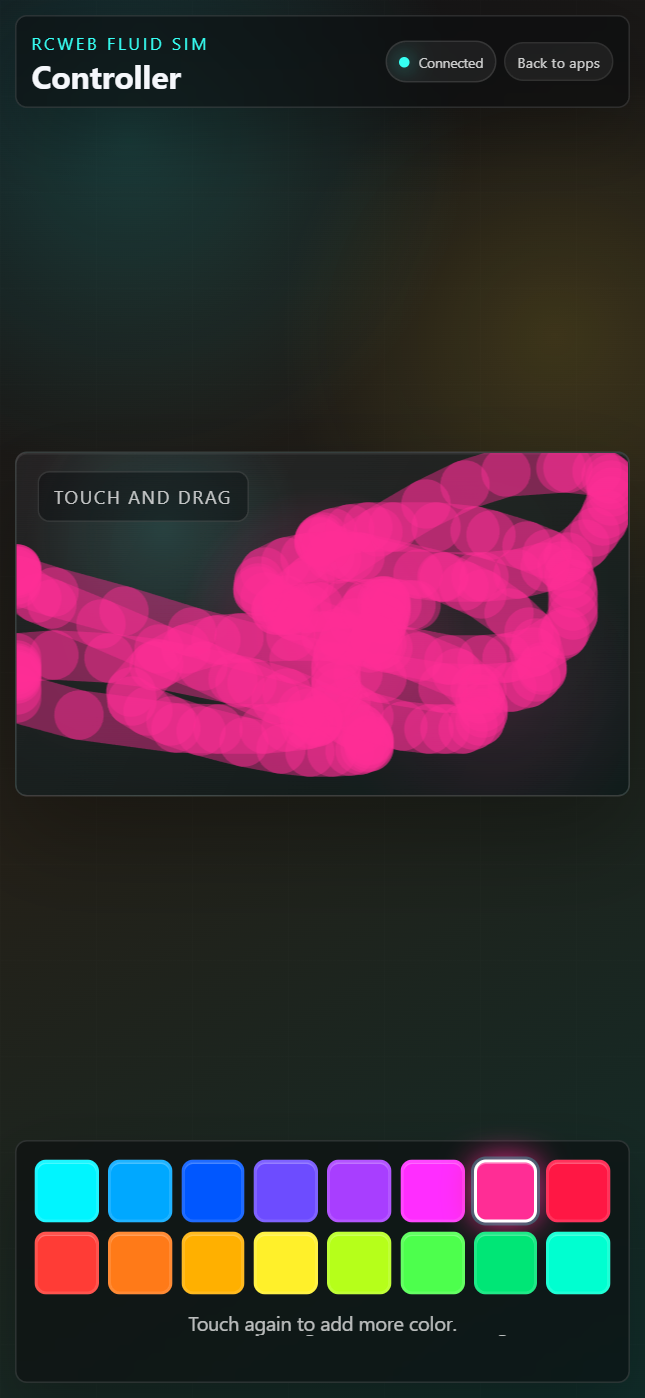
Screenshot
What it does
- Touch Swirls: Drag on the controller to send fluid strokes to the shared display.
- Single-Color Swatches: Pick one color from an expanded vibrant palette.
- Momentum Control: Faster finger movement injects more velocity into the display, while slower movement creates soft, relaxing blooms.
- Multi-Touch Friendly: Several fingers on one controller, and many controllers in the room, can add color at the same time.
How to use it
- Open
/fluid-sim-c/from the QR code shown by/fluid-sim/. - Select one of the color swatches.
- Drag inside the touch pad to add color and motion to the main display.
- Use slow strokes for gentle movement, or quicker strokes to push the fluid harder.
The controller automatically follows the aspect ratio of the display so the touch pad maps cleanly onto the main screen. The pad is resized to fit narrow phone screens without horizontal overflow.
Controls
- Color Swatches: Sixteen vivid colors are available. The selected swatch is highlighted.
- Touch Pad: Sends normalized stroke positions and momentum to the display.
- Status Text: Shows simple connection and interaction feedback.
There is no clear button and no flow slider. The controller is intentionally minimal so users can focus on drawing.
How it works
The controller uses rc.sendFunctionCall to call functions on the display app:
fluidSim.addStroke(...)receives each throttled touch segment.fluidSim.setAimCursor(...)shows the user's current touch position on the display.fluidSim.broadcastSize()is requested when the controller connects so the pad can match the display aspect ratio.
Touch movement is throttled by time and distance before being sent over RCWeb. This keeps multiple controllers responsive without flooding the room with tiny updates.
Layout behavior
The controller measures the available space inside .controllerShell, subtracts padding and the fixed header/control areas, then sizes the touch pad to preserve the display aspect ratio. This prevents the pad from overlapping the browser edge on narrow screens.
Notes for maintainers
- The color palette is defined in
script.jsas theCOLORSarray. - Stroke strength is fixed in
sendStrokeand multiplied by measured finger momentum. - The controller does not run the simulation locally; it only previews the selected color and sends input to the display.