RCWeb Radio Controls
The RCWeb Radio Controls app (app/radio-c) is the phone and tablet controller for the RCWeb Radio (app/radio).
Features
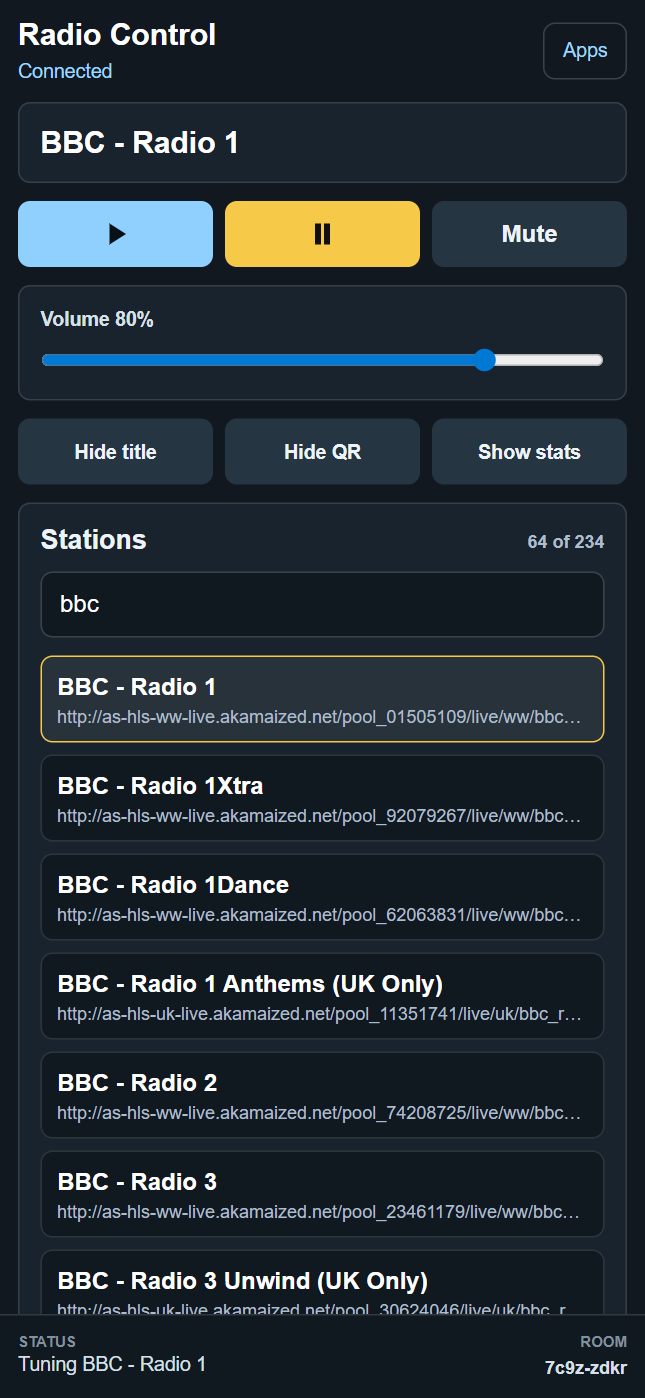
- Search the station list and choose a stream.
- Play, pause, mute and adjust volume.
- Control station title, QR and status overlays.
Screenshot
Overview
This app gives users a remote control surface for every active radio display in the same RCWeb room. Choose from a searchable station list and play the selected stream on the display.
Multiple phones can use the control app at the same time. Each controller receives display state updates and can select stations or adjust playback for the shared room.
How to use
- Open
/radio/on the main display. - Scan the QR code shown by the display.
- Search or scroll the station list.
- Tap a station to start it on the display.
- Use the playback and audio controls to pause, resume, mute, or change volume.
- Use the display controls to show or hide the station title, QR code, and stats panel.
Station controls
- Browse the available station names.
- Filters stations locally as you type in the search box.
- Shows each station name with its stream URL.
- Highlights the currently selected station when the display reports it.
- Sends the selected station name and stream URL to all matching radio displays in the room.
Playback controls
- Play and pause the current radio stream.
- Mute or unmute the display audio.
- Adjust viewer volume with the volume slider.
- Restore the selected station to a newly opened or refreshed display.
Display controls
- Show or hide the station title on the main display.
- Show or hide the QR code on the main display.
- Show or hide the main display's diagnostic stats panel.
Multiple viewers and controllers
The control app sends commands to all radio display apps in the room while excluding control apps. This means one phone can control many screens, and several phones can operate the same shared radio display state.
When the control app starts, it requests the current state from displays in the room. This keeps the controller aligned with the station, playback status, overlay settings, mute state, and volume currently active on the display.
Related app
Use this app with RCWeb Radio Display (app/radio).