3DRace
Race a sixteen-car field around six circuits, from pine forests to the Las Vegas Strip at night. Up to eight people can drive together using phones, tablets, computers or gamepads. Empty places are driven by AI, and you can watch from six camera angles whenever you want a break. Use a current browser with WebGL 2 support.
Features
- Six circuits, including London, Amsterdam and a Las Vegas night race.
- A sixteen-car field with up to eight human drivers and AI filling the remaining places.
- Keyboard, touch and gamepad controls, plus six spectator camera views.
- Four opponent difficulty levels and races of three, four or five laps.
- Shared standings, lap times and automatic progression to the next circuit.
Start driving or invite friends
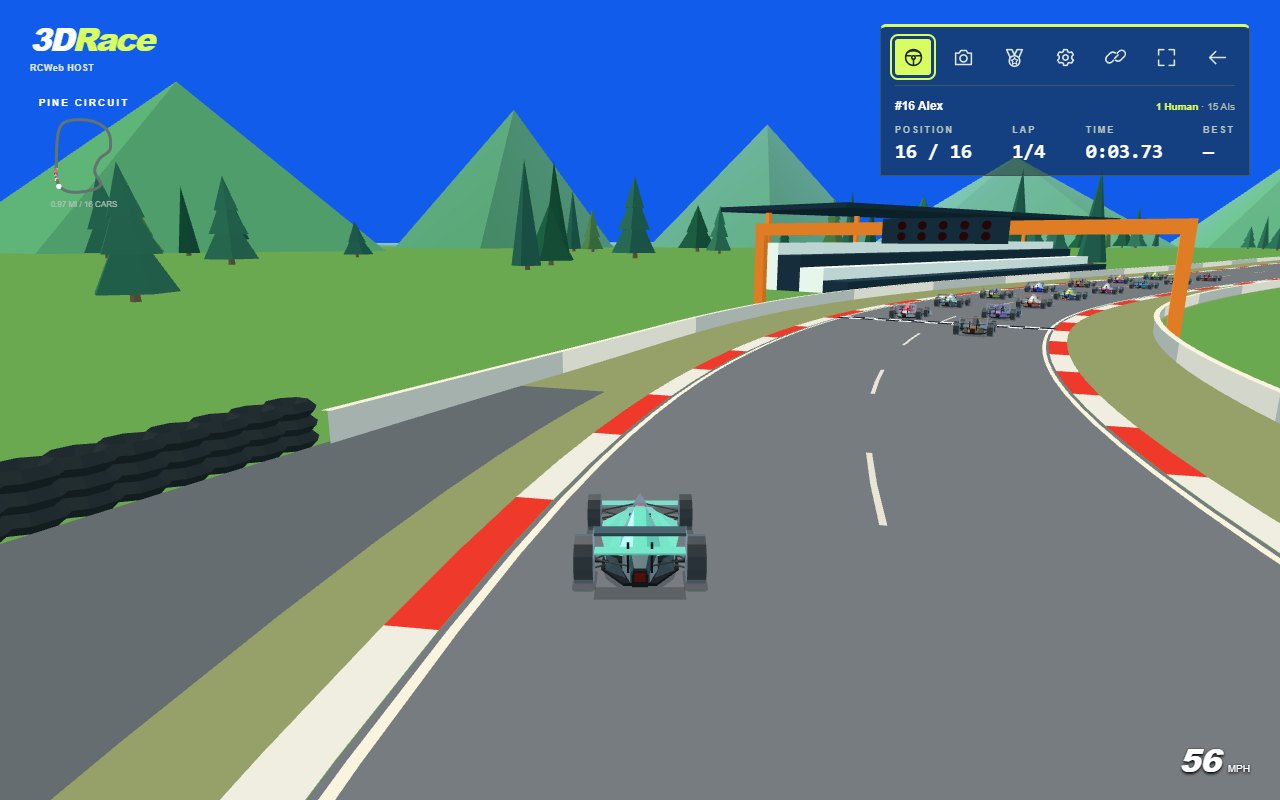
- Open 3DRace. The game starts racing automatically in Trackside view.
- Select the steering-wheel button to take the wheel. The view switches to Chase. During an existing race, you take over the lowest-placed available AI car without resetting its progress.
- Open Settings with the cog button to enter your driver name. Choose Done to return to the race.
- To invite someone, select the chain-link button and have them scan the QR code or open its link. Everyone must join the same room. When sharing from the server computer, use its network address rather than a localhost address.
- Select the steering-wheel button again to let AI drive your car while you watch. The shared race continues.
Human drivers start behind the AI at the next new grid. If eight human places are occupied, additional devices can still watch. A reserved or finished car cannot be taken over.
Controls
- Keyboard acceleration: hold W or Up arrow.
- Keyboard braking and reverse: hold S or Down arrow. The car brakes to a stop before reversing.
- Keyboard steering: A/D or Left/Right arrows.
- Keyboard shortcuts: C cycles cameras; R recovers a stranded car; P or Escape hands driving to AI. Escape also closes an open settings or leave dialog.
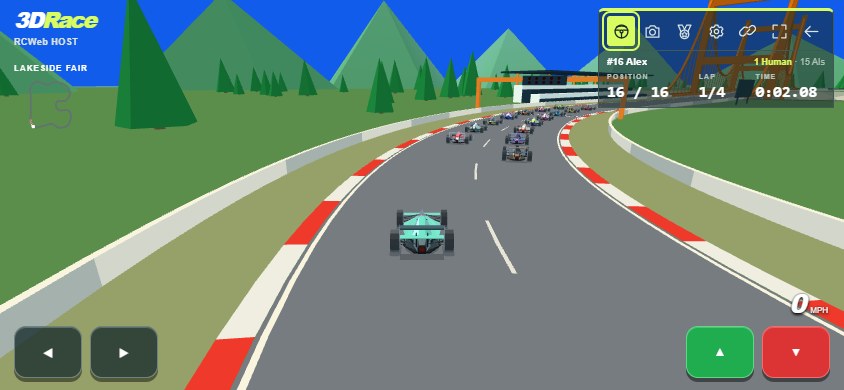
- Touch: hold a steering arrow on the left and a pedal on the right. Green accelerates; red brakes and then reverses. You can hold steering and a pedal together. After more than two continuous seconds off track, a Recover button appears above the steering arrows.
- Gamepad: the left stick steers; the right trigger or A accelerates; the left trigger or B brakes and reverses.
Pressing both pedals stops the car. Reverse is limited to about 18 mph. The speed display uses mph, and track lengths use miles.
On supported phones, buttons give a short vibration and collisions involving your own car give a stronger double pulse. Vibration works independently of sound. Devices without vibration support play normally.
Understand the screen
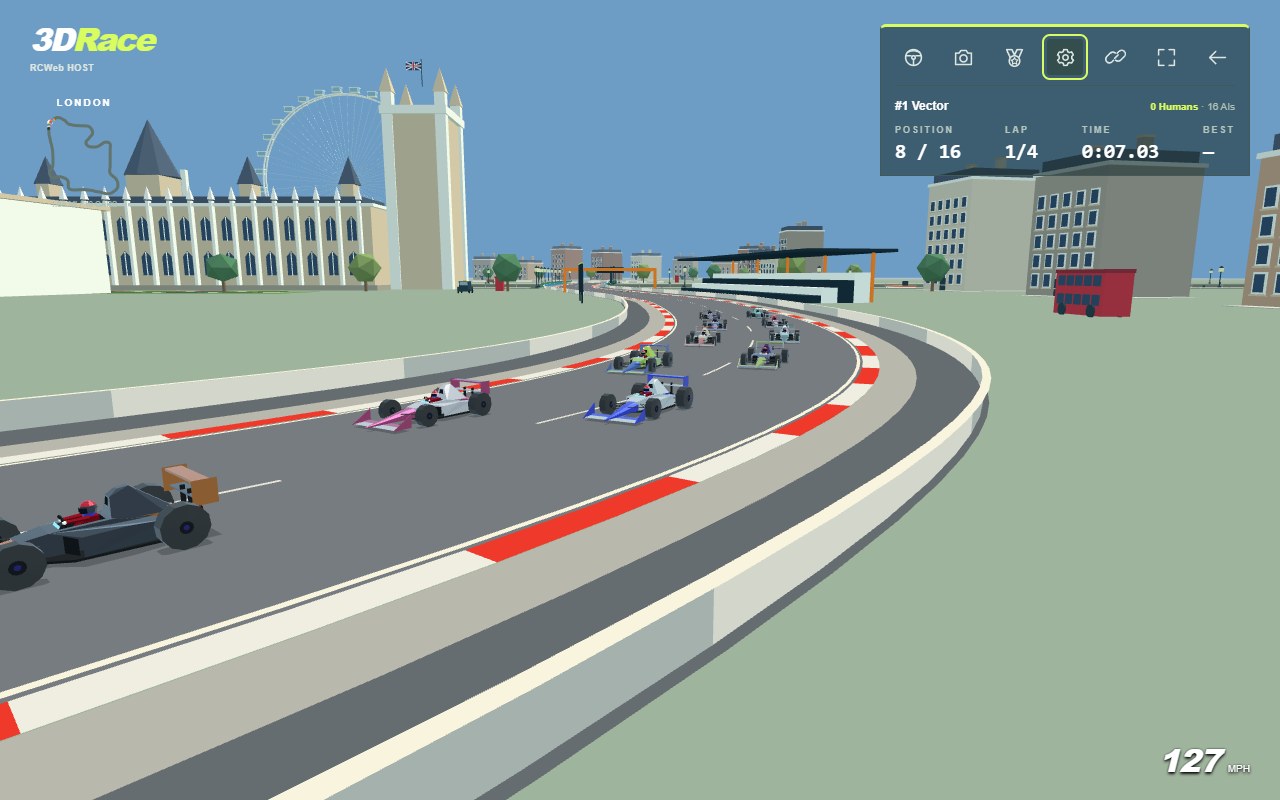
The top-left corner shows the track name, a mini-map, track length and connection status. The top-right panel shows the selected driver's name, position, current lap, lap time and best lap. The human-player count is highlighted in green. Position and lap numbers flash green three times when they change.
The icon row, from left to right, contains:
- Steering wheel: drive or watch.
- Camera: change view.
- Medal: show the standings and choose a car to follow.
- Cog: open settings.
- Chain link: invite another device to the room.
- Fullscreen corners: toggle fullscreen where the browser supports it.
- Back arrow: return to the app list after confirmation, on this device only.
Speed appears at the bottom right. Messages identify contact, reverse, run-off surfaces, recovery and finishing. On a phone in landscape, the panel becomes compact to leave more of the road visible.
Settings and difficulty
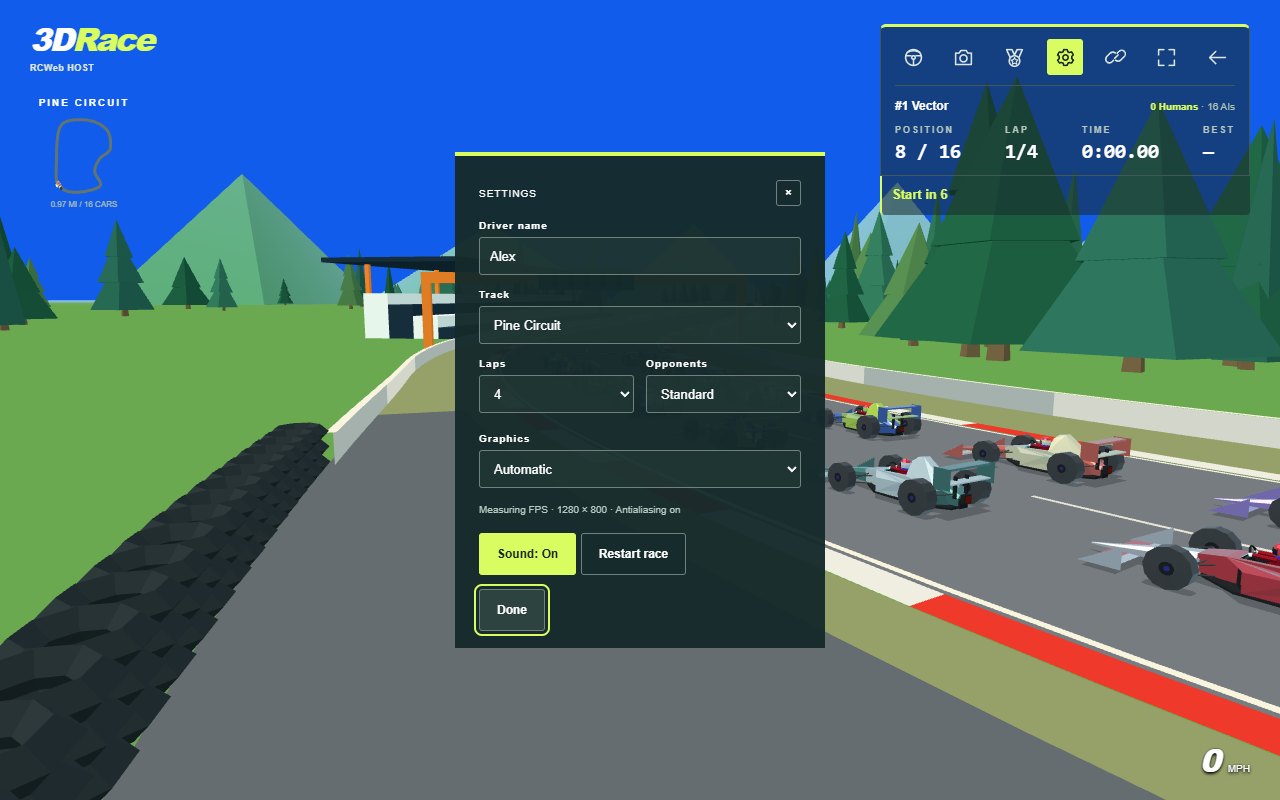
Every player can change their own Driver name, Graphics and Sound preference. The room host controls Track, Laps, Opponents and Restart race. If another player tries to change a shared selector, a tooltip points to it and says “Only the host can change this setting.”
Settings has Basic, Graphics and Advanced tabs. Basic contains driver name, race options and sound. Advanced lets the host choose how frequently the race updates over the network. Lower rates use less bandwidth but make other cars appear further behind the live action. Prioritise humans offers more frequent updates for human drivers, using more bandwidth. Changes take effect while the race continues.
In Graphics, Resolution defaults to Automatic, which reduces resolution after sustained performance below 30 FPS. Full keeps the original resolution; Reduced and Low use progressively smaller rendering budgets. Antialiasing independently offers Automatic, On and Off. Automatic enables smoothing at full resolution and disables it when resolution is reduced; On requests smoothing when supported by the device. Text and controls remain sharp. The Graphics tab shows measured FPS, render resolution and actual antialiasing status. Automatic resolution stays reduced for the session; select Full and then Automatic to retry. Both preferences are saved locally and changes leave the race running.
Choose 3, 4 or 5 laps. Changing laps or track starts a fresh shared countdown and keeps the returning drivers. Changing difficulty takes effect during the race and carries into the next one.
- Relaxed: gentle opponent pace with plenty of room to learn the tracks.
- Standard: a forgiving race with moderately quicker opponents.
- Fast: a step up in pace once you are comfortable with the corners.
- Expert: the quickest opposition, with a brisk but forgiving cornering pace.
Front-grid AI drivers are more capable than those further back. AI uses the same acceleration, braking and top-speed limits as your car; its advantage comes from pace, cornering and traffic handling.
Your name, sound choice, graphics preferences, laps, difficulty and current track are saved on this device. Automatic track progression updates the saved track too. Refreshing a solo game starts a new race on that track; joining an existing room uses the room's current settings. Opening settings focuses Done, so the on-screen keyboard does not appear until you select the name field.
The six tracks
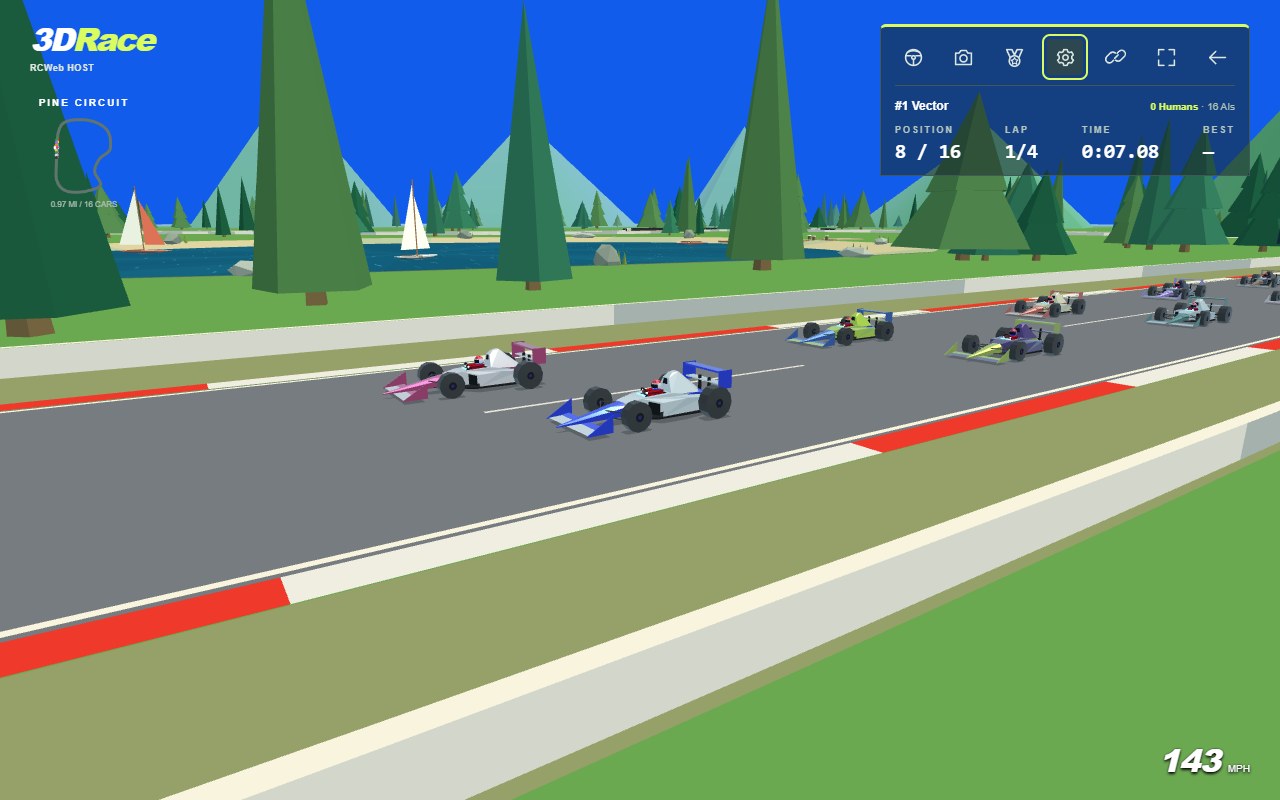
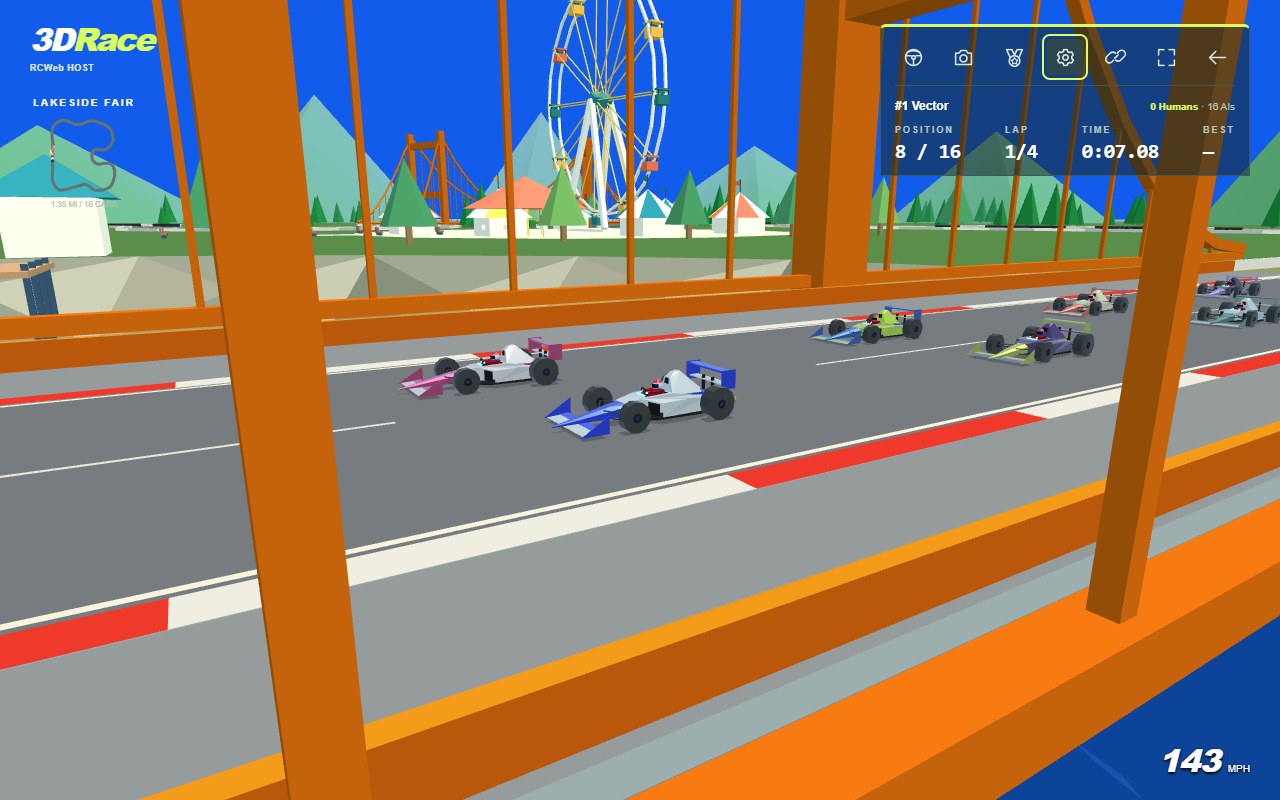
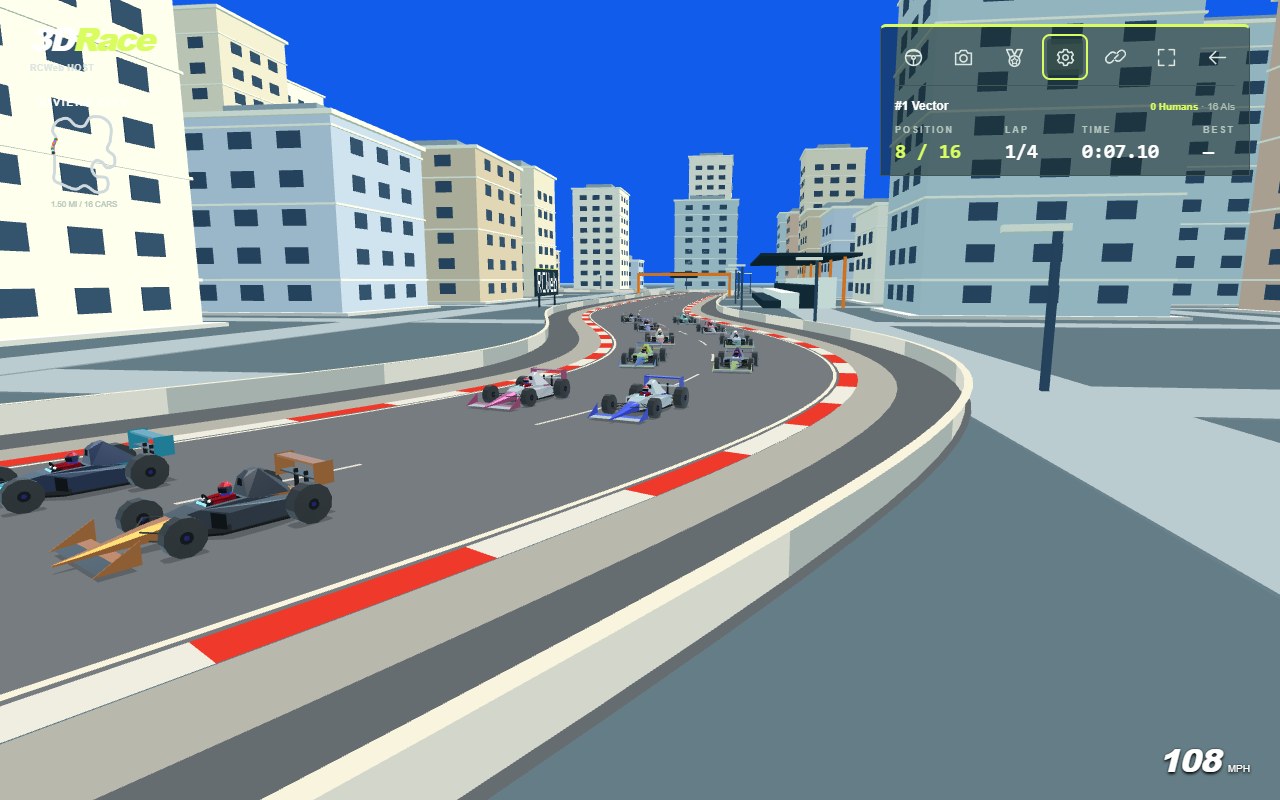
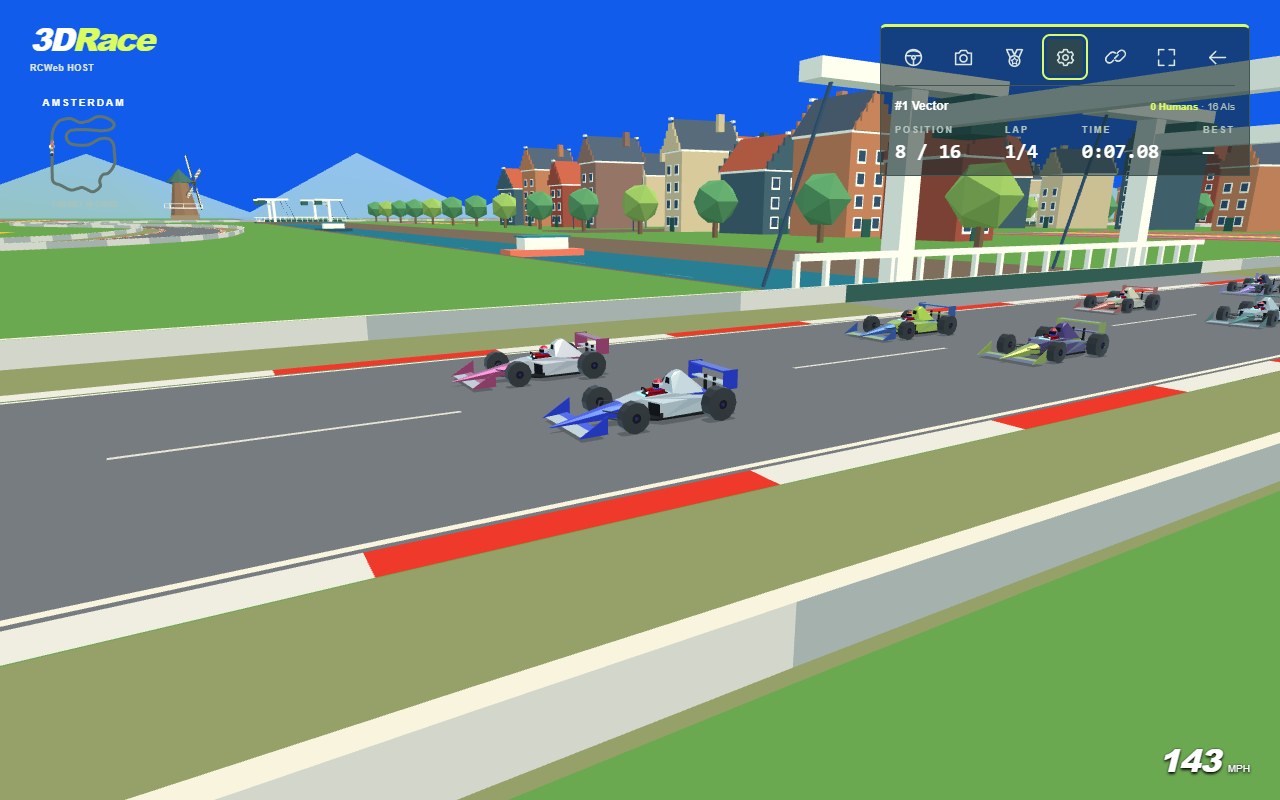
These Trackside screenshots show each circuit's scenery. The order below is also the automatic race rotation.
Pine Circuit — 0.97 miles
A flowing forest circuit surrounding a lake. Look for the little dock, rowing boats, sailboats and several shapes of pine tree. Selected corners have wider sand and gravel run-off areas.
Lakeside Fair — 1.35 miles
A longer circuit with linked bends, two blue lakes, orange suspension bridges and rocky shores. The fairground includes a large moving Ferris wheel, carousel and striped tents, with houses along the waterfront.
Riviera City — 1.50 miles
A technical street circuit with apartment blocks, a fountain square, tight returns and a curved tunnel. Following cameras lower and pull closer before the tunnel, then return to the selected view after the exit. Whole track view opens the roof so you can still see the cars.
Amsterdam — 1.80 miles
A winding route between striped tulip fields, rivers, a canal and Dutch drawbridges. Narrow canal houses face the road, windmill sails turn above the fields, and low hills form the backdrop.
London — 1.85 miles
Race across Tower Bridge and Westminster Bridge beside the Thames. Approaches lead towards Buckingham Palace, the Houses of Parliament, Big Ben and the London Eye. The Shard, Gherkin and O2 dome join the skyline, with red buses, black taxis, riverside boats and terraces around the circuit.
Las Vegas — 1.73 miles
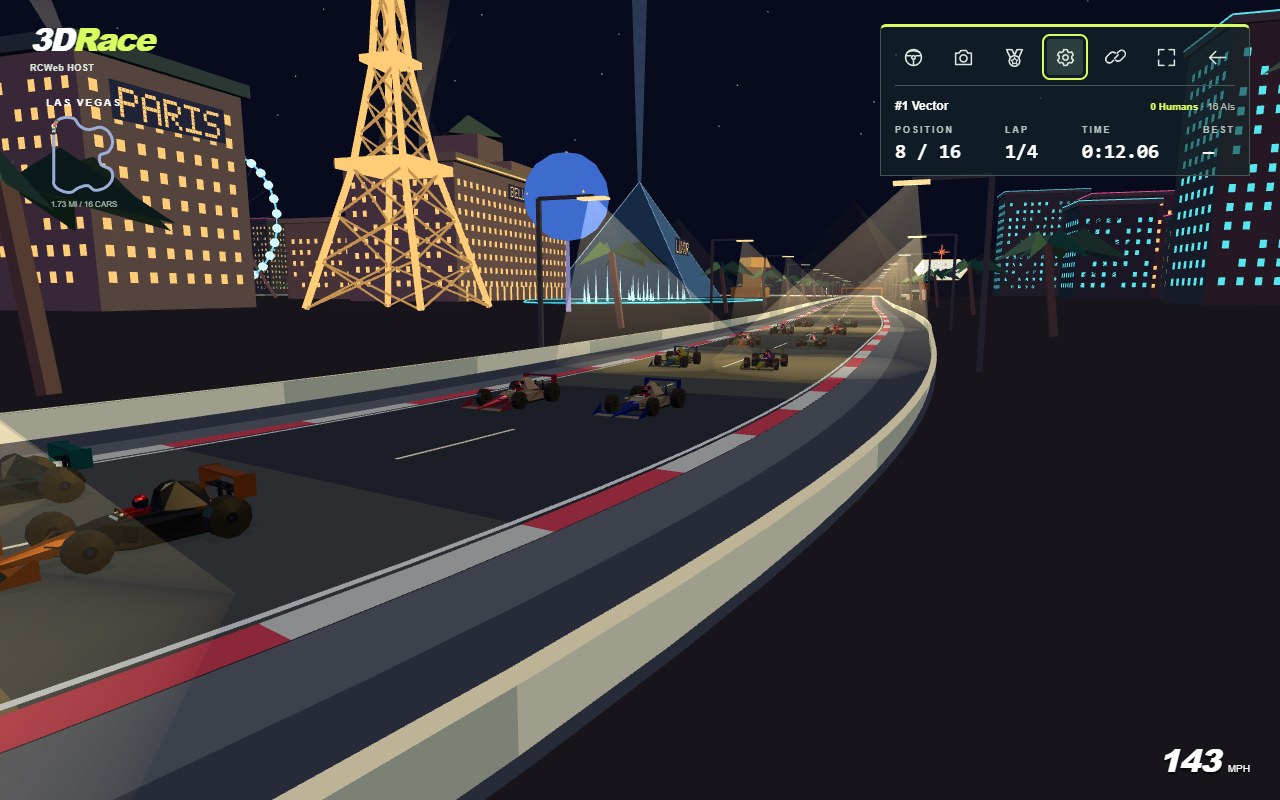
A night race along the Strip and through a winding casino section. Pass Bellagio's fountains, the Paris Eiffel Tower, Luxor pyramid and sky beam, Venetian, New York–New York, Sphere, High Roller, STRAT and Welcome sign. Warm yellow street lamps cast translucent polygon beams onto pools of light below. Casino facades, plazas and fountains glow against the dark surroundings, rooftop searchlights reach into the sky, and glossy car paint catches coloured highlights.
Racing, run-off and recovery
Brake before tighter corners and leave room for other cars. Grass, gravel and sand slow you down; paved run-off preserves more speed. The barriers move further away from the road at some corners, and stacked tyres mark parts of the outer boundary. Bridge and tunnel barriers stay close to the road. Cutting across the infield will not complete a valid lap.
Collisions cause impact sounds, sparks and cosmetic damage. Damage does not reduce performance and resets for the next race. Heavy braking can leave fading tyre marks. The flashing rear light represents braking or energy recovery; there is no battery control to manage.
If you are stopped or stranded, press R or tap the mobile Recover button after spending more than two seconds off track. Returning to the road resets that button's delay. Recovery moves you a short distance back onto the track, lets you drive immediately and gives temporary contact protection. It is unavailable while driving normally at speed or after finishing. Sand and gravel still slow the car, but holding either pedal lets you drive or reverse out of a trap.
Cameras and spectating
The camera button cycles through Chase, High chase, Whole track, Nose, Trackside and Side. Your camera choice is local to your device.
Open Standings with the medal button, then select a driver's camera button to follow them. Following another car hands yours to AI. Your row is highlighted, and AI-controlled entries have an AI badge.
If Trackside view is following an AI car when a human joins, it switches to that human. A view already following a human keeps its selection. You can manually follow an AI again afterward.
Sound and accessibility
Tap the page or press a key to enable audio. Gamepad-only users may need to tap first. Settings → Sound mutes engines, tyres, impacts, countdowns and celebrations. Hidden tabs are silent.
You hear nearby engines passing in stereo, tyre squeal under heavy braking, a quieter scrub during sustained hard cornering, and rumble on loose surfaces. Brief steering corrections and light braking stay quieter.
The game respects the device's reduced-motion preference: confetti and sparks are suppressed, the finish number is static, the recovery light is steady, and decorative rides, windmills and Vegas animations stop.
Finishing and the next race
Finish in the top three while driving to see a large 3D podium number, confetti and a short applause effect. Muting sound also mutes applause. After you cross the line, your result is fixed even while the car continues moving.
Once the winner finishes, the remaining field has 30 seconds to finish. Unfinished cars then receive DNF. Results show finishing order, total time and AI-assisted entries. Cars continue a slow victory lap during a 15-second countdown to the next circuit. The highlighted timer shows the remaining seconds and next track. The host can select Next race at the top right of the results to start the next circuit immediately for everyone.
Races repeat automatically: Pine Circuit → Lakeside Fair → Riviera City → Amsterdam → London → Las Vegas → Pine Circuit. Track, lap and difficulty changes apply to everyone in the room.
Leaving, reconnecting and installation
Changing tabs or windows clears held controls but keeps your car in manual mode while connected. If inputs stop, the host uses neutral controls instead of engaging AI; return and continue driving without another take-control countdown. Disconnecting hands the car to AI. Reloading the same tab can reclaim your car. If the hosting browser leaves or becomes hidden, another visible game tab can host the race after a short pause, without releasing a still-connected driver's car.
Keep at least one device connected to preserve the current race. If every device leaves, the live race is lost; saved preferences remain. After a host change, the race may resume from a slightly earlier moment.
Use your browser's Install app or Add to Home Screen command to install the game. The PWA requests fullscreen when launched, where supported. Installation requires HTTPS, or localhost on the server computer, where supported. The game still needs a network connection; an offline launch provides a retry link.