Ruby Cube

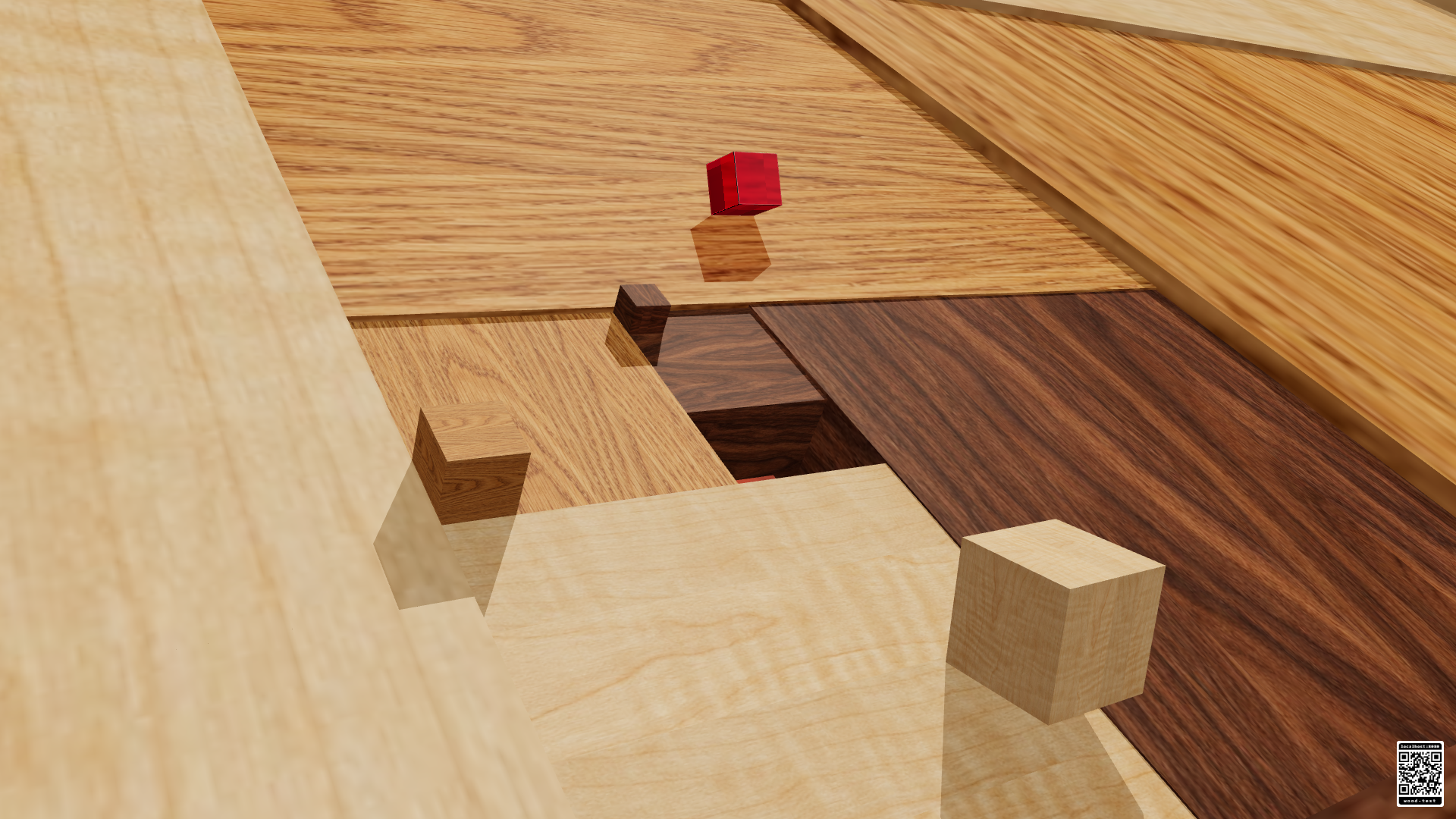
Watch a polished ruby cube roll through a seamless 3D loop of wooden blocks, warm light and reflections.
The wooden cubes alternate between honey oak, dark walnut and light maple. Each cube rises flush from a corner of the block below, inherits its wood, and keeps it as it rolls into place. Subtle grain and polished highlights remain continuous through each zoom reset.
How to watch
Open Ruby Cube or choose it from the RCWeb app launcher. The animation starts automatically and fills the screen. There are no players to set up. Touch the screen or move the mouse to show the fullscreen icon in the top-right corner and the small rendering-status text. Both hide after three seconds of inactivity. Tap the icon to enter or leave fullscreen.
Scan the QR code in the bottom-right corner to open the launcher for this room on your phone and choose another app. Room controllers stay in the launcher. Each display plays independently. The animation pauses while its browser tab is hidden and resumes when you return.
The scene requires a modern browser with WebGL 2 and hardware acceleration. If graphics cannot start, the display stays connected to RCWeb so you can switch apps from the room controller.
Playback uses simpler wood lighting, projected shadows, efficient ruby optics and lower-resolution refraction. The warm wood grain and ruby reflections remain. Google TV keeps a 1280×720 rendering target and aims for 30 fps; other devices can reduce resolution if playback stays slow. Shadows follow the block faces and steps, with antialiased edges that stay aligned during zoom.
A tiny translucent badge at the bottom left shows WebGL 2, the actual rendering resolution and live frames per second. It identifies software rendering when the browser explicitly reports a known software renderer. A stable 30 fps keeps its current resolution.
The rolling motion repeats every 10 seconds. The inherited wood pattern completes its cycle every 30 seconds, with seamless zoom transitions. Rotations accelerate and decelerate smoothly, as do the upward and downward slides. The ruby alternates rolls along the wooden edges, travelling only parallel or perpendicular to them. Each roll pivots on an edge touching the floor. Its size compensates for the approaching camera, keeping it roughly the same size on screen throughout the illusion. It slides straight down the step without sideways movement or rotation. Camera zoom follows the same eased timing. Each wooden cube pauses briefly at the hole before a gentle descent. Wooden planks meet without dark gaps to reduce shimmering on lower-resolution screens. Each block settles into a shallow step below its neighbour, now half the previous height.
For a fixed choice, add &quality=low to a room URL for 540p rendering, or &quality=high for the more detailed ruby and picture. For example: low-detail playback. These options do not change the animation or RCWeb connection.
Screenshot