Pipe Dream
Pipe Dream musical machine demo.

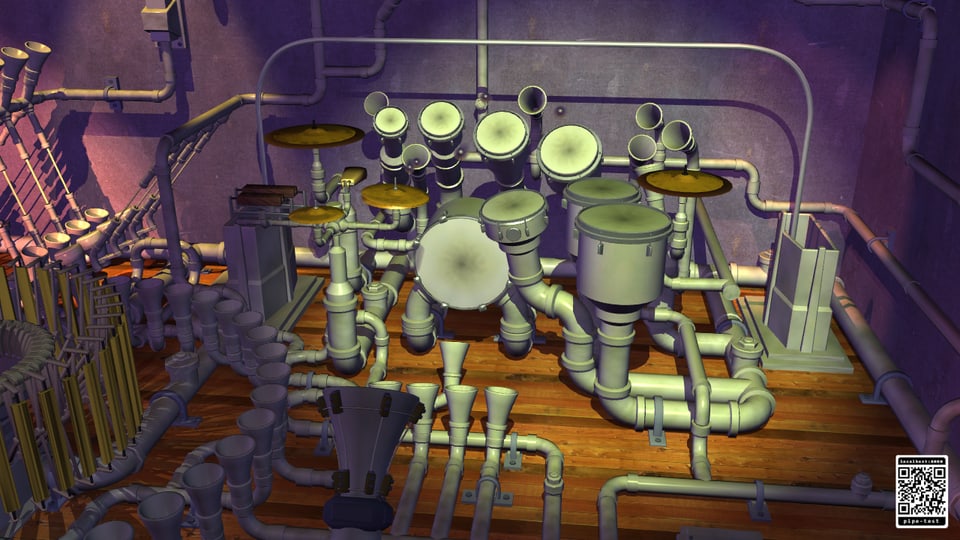
Pipe Dream brings Animusic's iconic automated musical machine to life in real time. Hundreds of chrome ball bearings launch through pneumatic pipes and funnels to pluck bass strings, illuminate a radial golden marimba fountain, strike drums, cymbals, woodblocks and tubular bells, and play an overhead monorail vibraphone—all synchronized to the original three-minute-twenty-four-second performance track.
Watch and explore
Open Pipe Dream on a display, or choose Pipe Dream from the RCWeb controller's Apps list. The performance begins automatically and loops seamlessly when it finishes.
- Choreographed Auto Cam follows the original 22-cut camera flypath across the stage, enhanced with gentle orbital drift during stationary holds.
- Five camera presets let you jump straight to Overview, Large Triple, Small Triple, Drums, or Marimba.
- Free Orbit camera: drag across the scene to orbit around the machine and scroll or pinch to zoom. Select Resume Auto Cam (or press C) at any time to return to the choreographed camera.
- Timeline, speed, and chapter markers let you scrub to any moment of the performance, pause, restart, adjust volume or playback speed (
0.5×–2×) while keeping music and animation synchronized, toggle an FPS readout, or open the Info panel. - Auto-hiding HUD fades away during idle playback for an unobstructed big-screen view, and reappears when you move the pointer or touch the screen.
- Audio unlock: if your browser blocks unmuted autoplay on load, tap the banner or anywhere on the page to enable synchronized sound immediately.
Controls
- Space — Play or pause
- R — Restart from the beginning
- [ / ] — Decrease or increase synchronized playback speed (
0.5×–2×) - M — Mute or unmute audio
- C — Resume choreographed Auto Cam
- 1–5 — Jump to camera presets (Overview, Large Triple, Small Triple, Drums, Marimba)
- Mouse Drag / Touch Drag / Scroll / Pinch — Free Orbit camera and zoom
- F — Toggle fullscreen
- I — Open or close the About Pipe Dream dialog
Join the room
Scan the bottom-right QR code on a TV or desktop display to open Pipe Dream Control (/pipedream-c/) in the same room. When Pipe Dream starts on a display, any existing RCWeb controllers in that room automatically switch to Pipe Dream Control so you can orbit the camera with a touch pad, switch camera presets, scrub the timeline, and adjust playback speed, audio, FPS, fullscreen, or the Info overlay from your phone. Use Back to apps in the controller at any time to choose another app on the display. Pipe Dream automatically hides the QR panel when opened directly on a smartphone.
Original Pipe Dream concept, music and art © 2001 Animusic LLC. Real-time demo © 2002 ATI Research, Inc.