Tilt Maze
Twelve mazes. One marble. Find your balance. Roll a blue marble through a series of increasingly winding mazes, from a gentle first lesson to a grand final challenge.
Features
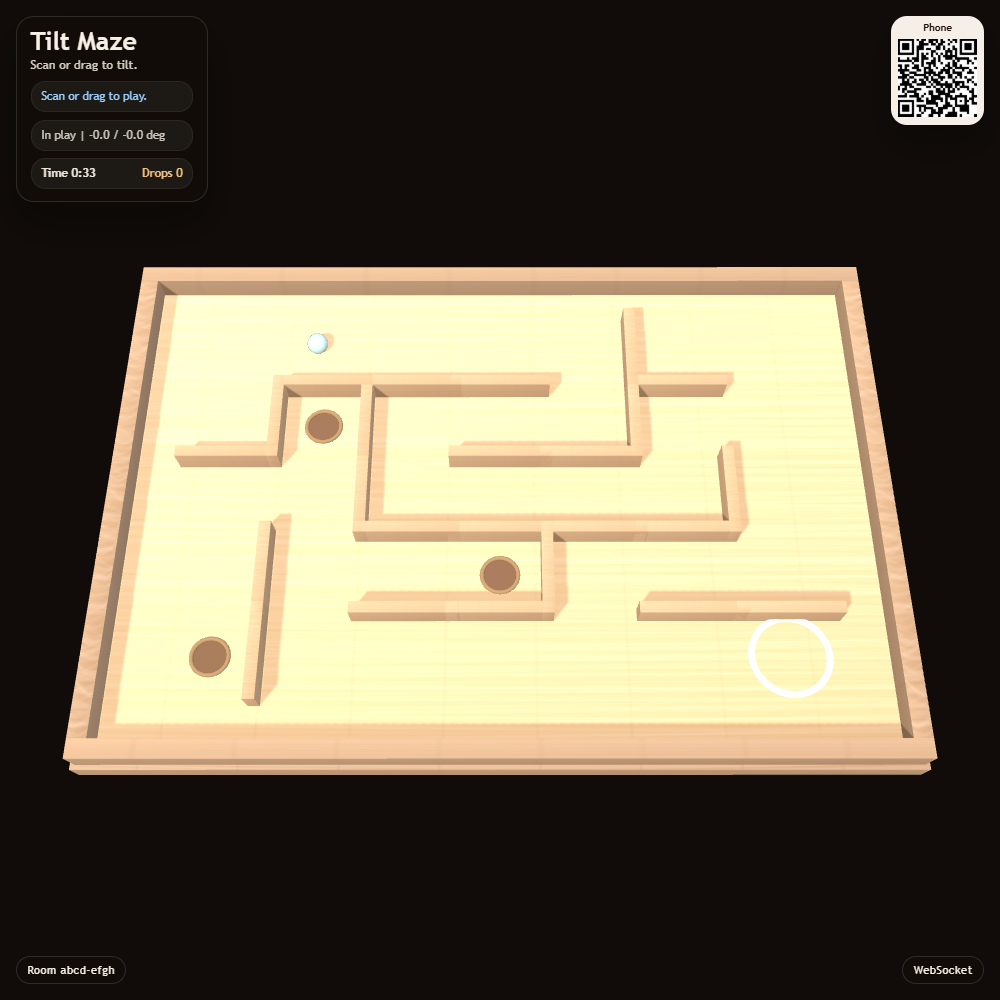
- Twelve carefully bounded levels with progressively longer routes and more branches.
- Clear walls, a green finish and no hidden perimeter shortcuts.
- The same layout on every retry, so you can learn each course.
- Optional five-second route hints, with no penalty or time limit.
- Dead-end holes from level four; an amber checkpoint from level five.
- Phone tilt, large direction buttons, mouse dragging or arrow keys.
- The board visibly leans with your controls and eases back when you release them.
- A lightweight board that works on older TV browsers, including Tizen 2.4.
Join and play
Open Tilt Maze on the shared display. Scan its QR panel to open the controller in the same room. When using a local server, open the display using its network address so the phone can reach it.
One player controls the marble at a time. Each newly joined player takes control immediately, keeping the current level and progress. The previous phone switches to watching. Tap Take control on a watching phone to resume playing at any time, including when another player leaves. Select Start level on the screen or phone. The timer starts when you first roll; there is no countdown.
Hold a direction button to roll and release it to slow down. For motion controls, tap Enable motion, approve permission if requested, and hold your phone comfortably. Tilt gently; Recenter phone makes your current position neutral. The direction pad is always available.
On the display, use the arrow keys, or press and drag from any point on the board. Release to slow down. Find the green target, then select Next level. Small movements make corners easier.
Dark holes are in side dead ends, away from the solution route. A fall returns you to the start, or to the amber checkpoint once reached. Your timer and fall count continue. Retry level starts a fresh attempt on the same maze. Show route reveals a path from your current cell for five seconds, as often as you need.
After level twelve, Play the course again returns to level one. Back to apps on the phone returns to the room's app list without changing the display.
Screenshot