Racer — Five Roads
A fast, forgiving arcade road trip inspired by OutRun and Horizon Chase. Dodge traffic, reach the checkpoints before time runs out, and chase a clean overtaking streak.
Play
Open Racer on a display, or launch it from Back to apps on your room controller. Existing controllers automatically open Racer Control. Scan the standard QR panel to join another phone in the same room.
Up to six controllers race together. Each has its own numbered, coloured car and driving window, with independent speed, heat and time remaining. Two and three players sit side by side in a 2×1 or 3×1 layout; four use 2×2, and five or six use 3×2. Cars share the same road and traffic, and are visible to each other. Racer Control stays a controls-only screen. Additional Racer displays mirror the whole race. With no phones connected, start from the display to drive using its keyboard.
The first connected player or the main display chooses settings. Any joined player can start or restart the group, or advance to the next unlocked level. Cars start two abreast with clear gaps between rows; the grid rotates each race. New controllers join the live race in a clear gap behind the pack, sharing its clock and remaining time. Six driving places are available; an extra controller waits until a place opens. Finishing cars leave the road, while blown engines remain solid obstacles until that driver disconnects. Hold Brake to reverse out of a blocked lane.
Each driver gets checkpoint time extensions. A race ends when every remaining driver has finished or retired. The finish order decides the winner. If anyone finishes, Next level advances everybody together and resets cars, temperatures and timers. If nobody finishes, retry the same track. Any joined driver can pause and resume the shared race.
- Steer: left/right arrows or A/D on the viewer, or drag the phone's left joystick left or right. Releasing it centres the steering. Steering only moves the car sideways while it is moving.
- Accelerate: hold up arrow or W on the viewer, or hold Accelerate on the phone. Release to coast.
- Brake / Reverse: down arrow or S, or hold Brake to stop, then continue holding to reverse at up to one quarter of the track's normal top speed. Release to coast; Accelerate drives forward again. Brake takes priority over Accelerate and Nitro.
- Nitro: hold Space or Shift, or hold Nitro. Nitro drives the car on its own with twice the normal acceleration and 50% higher top speed. Release it to coast, or keep Accelerate held to return to normal driving. There are no charges or timed bursts.
- Pause: P or the Pause button. The phone's Start button becomes Pause during your race.
- Sound: starting or resuming a race on the display enables its audio. Sound plays only on Racer, not on the phone controller. Each level has its own fast electronic racing soundtrack (160–180 BPM), with heavy kicks, layered snares, fast hi-hats and low, filtered synth bass. The five tracks have different drum grooves, bass riffs and progressions. Their 64-bar arrangements build into drops and breakdowns. Music stays identical across visual styles, and switching style does not restart it. Changing level fades into its soundtrack. Engine revs, braking, nitro, crashes and race cues accompany the drive. Use Sound off to mute; your choice is remembered. A remotely controlled display needs a tap on Enable sound to allow browser audio.
Acceleration is manual, with cruising readouts from 200 to 300 km/h and higher speeds while Nitro is held. The car follows the road's curves with gentle assistance. A collision stops your car, pushes it into clear space beside traffic, and holds the engine stalled for 0.85 seconds. Hold Accelerate to recover speed over about five seconds. Nitro doubles acceleration during recovery too, but cannot bypass the initial stall. Vehicles remain solid throughout the penalty, and the shoulder slows you down.
Overtake sports cars, vans, buses, trucks and motorbikes. Each has its own speed and size; traffic keeps its lane and maintains a safe gap behind slower vehicles. Groups occupy at most two lanes, with protected passing gaps between groups so all three lanes cannot become blocked. Wheels roll with the vehicle's speed and stop when it stops. Your car changes pose when steering, and bikes lean through bends.
Nitro produces animated flames from the car's exhaust outlets. Brake glow follows the actual round lamps or neon light strip, and a collision produces a brief burst of sparks on the impacted side. Every effect has artwork matching its world and stays attached to the car as it steers.
Clean overtakes earn points and build a streak. Two checkpoints extend the timer before the finish line. A clean run takes about a minute; collisions make every remaining second count.
Engine temperature
Watch ENGINE TEMP on the display or controller. Normal running temperature is 80°C. Nitro adds 7.5°C per second of active boost: eight uninterrupted seconds will reach the 140°C limit. Releasing Nitro cools the engine by 4.8°C per second toward 80°C, including while driving with normal acceleration. Pausing freezes the temperature.
At 125°C, the gauge turns red and shows HOT beside the temperature: release Nitro to cool down. At 140°C, that driver's engine blows and the car stops; the other drivers can continue racing. Pixel-art flames and smoke rise from the front engine, behind the occupants. Every driving window includes a temperature gauge and °C readout. A blown engine stays stopped until the next race or a main-display refresh.
Three worlds, five tracks
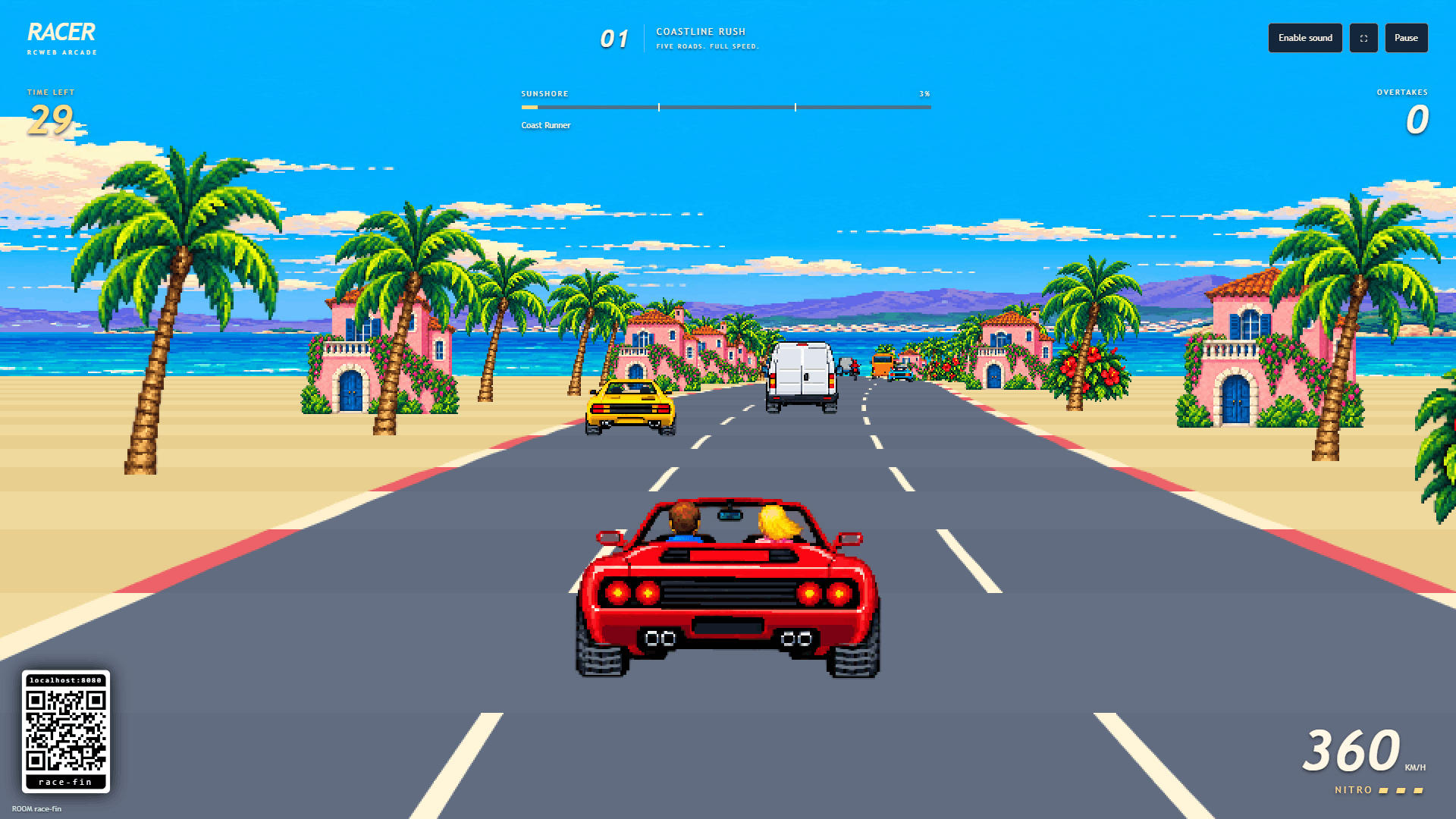
- Retro pixel art: the default world, with a red convertible, blue sea, palms and coastal villas.
- Vincent van Gogh: painted cars, cypress trees, sunflowers and a swirling oil-painted sky.
- Blade Runner — neon future: luminous cars, roadside towers and a futuristic coastal skyline.
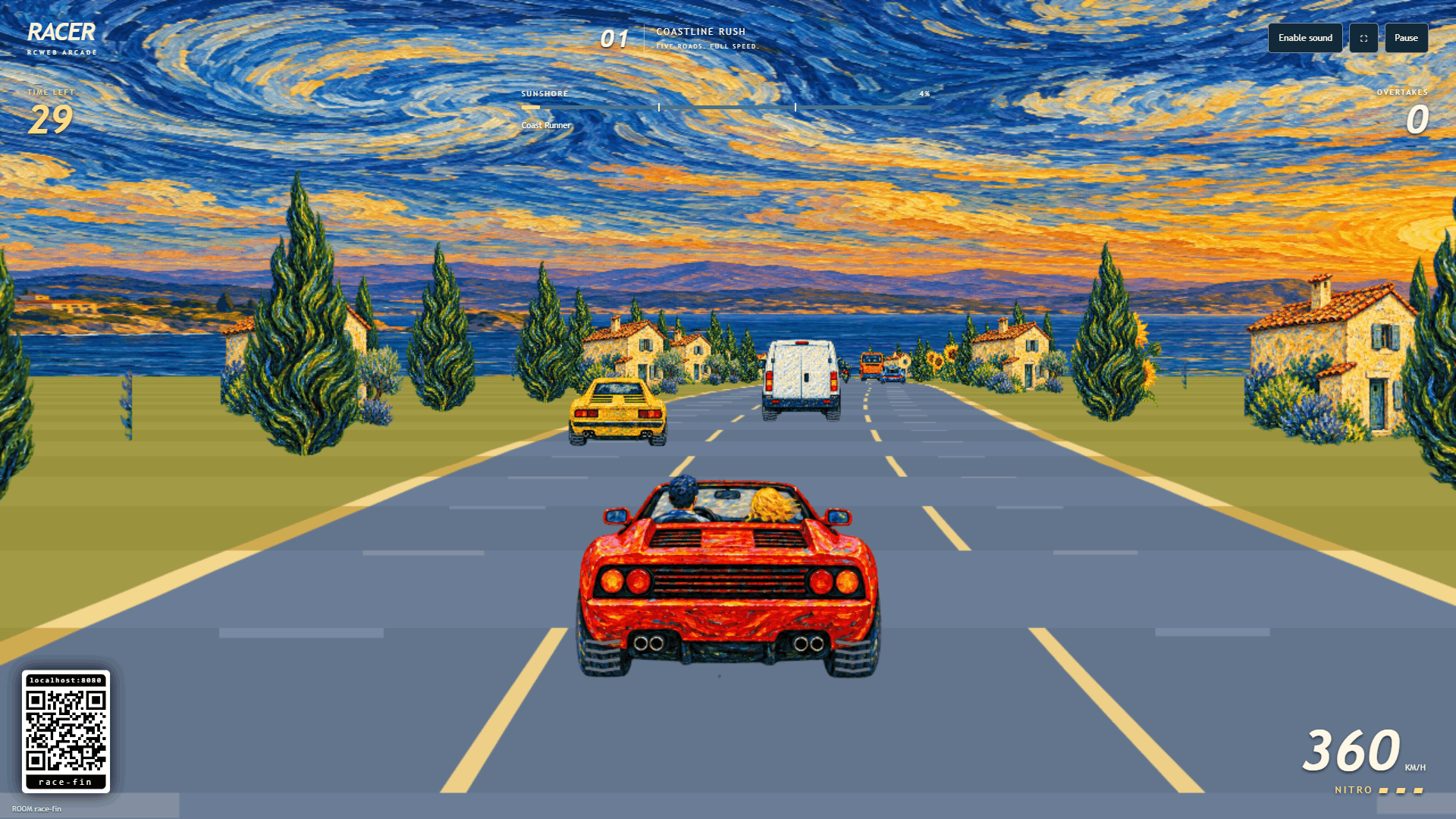
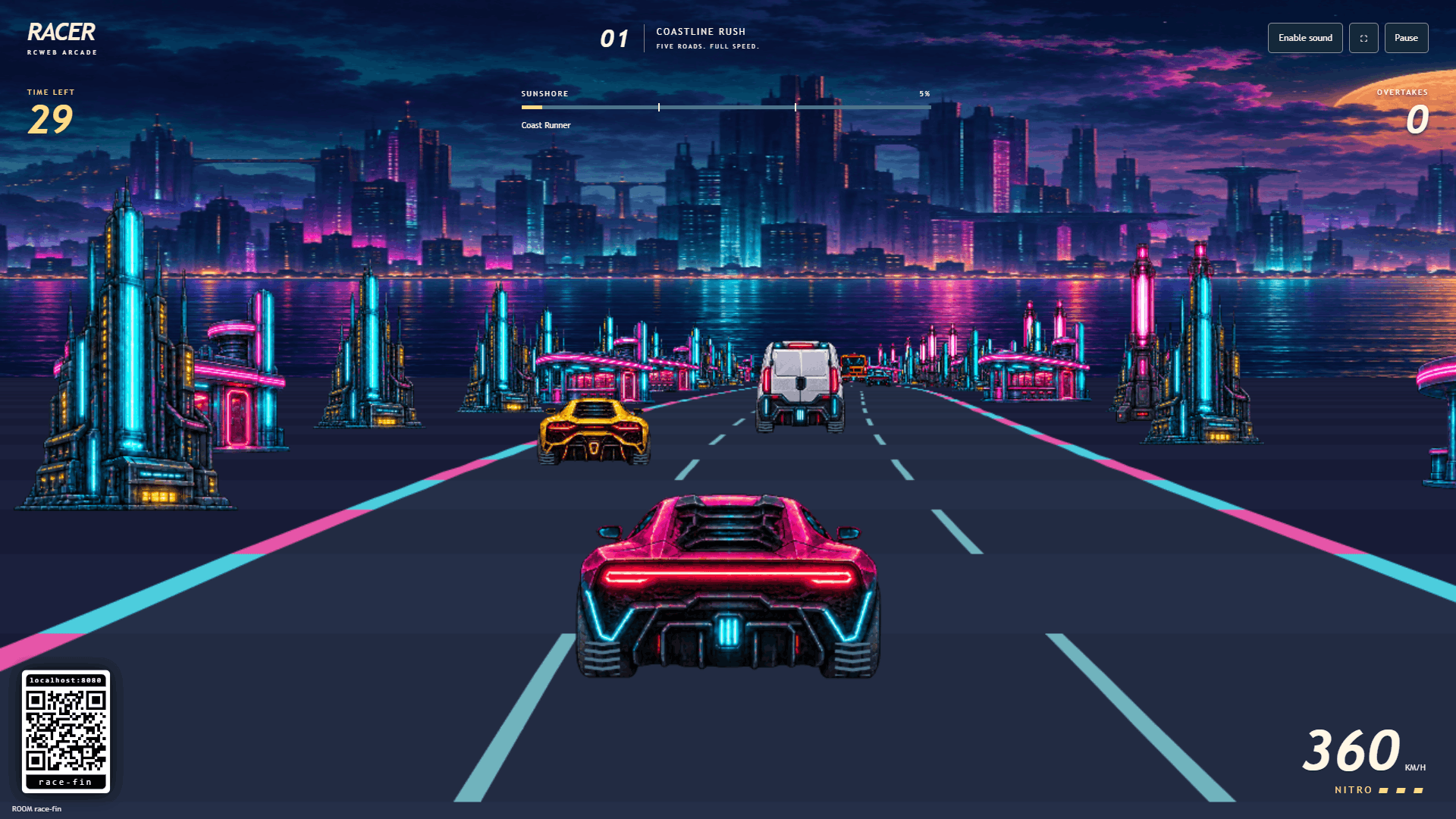
Every track has its own generated panorama and roadside scenery in all three styles. Choose a level before starting, or use Next level after a successful finish. Your driver, style and driving mode carry over; each level starts a fresh timer and score.
- 1. Coastline Rush: sea, palms and coastal villas; 200 km/h.
- 2. Canyon Heat: red mesas, cacti and desert outposts; 225 km/h.
- 3. Alpine Ascent: snowy mountains, firs and chalets; 250 km/h.
- 4. Emerald Run: waterfalls, deep forest and ferns; 275 km/h.
- 5. Volcanic Night: lava, basalt spires and glowing rocks; 300 km/h.
Road speed is 50% higher than the original five-track release; stage 1 matches the former stage 5 speed. Longer track distances preserve the roughly one-minute race length. The speedometer is calibrated to arcade car speeds, with nitro reaching up to 450 km/h on stage 5.
Each level has different bends, hills and checkpoint sections, with increasing speed, traffic pressure and tighter timing. Passing gaps grow with speed so an overtaking route remains available.
Select Cruise for more generous timing, or Arcade for tighter timing and denser traffic. Styles may be changed live from the controller's Settings without restarting the race. Driving mode and level are selected before a race.
Reconnecting and taking turns
After everybody finishes or retires on track 5, the results remain visible. Starting a new game returns everyone to track 1. Your visual style and driving mode are retained.
Driver names use RCWeb's shared name setting, with whitespace normalized and a 16-character limit. Reloading a controller preserves its car when session storage is available and it reconnects within five seconds. Stale inputs release after 650 ms and the car brakes automatically. After five seconds without a controller heartbeat, its car and window are removed and the layout rearranges. Others keep racing. Rejoining later creates a new car safely behind the pack. If the first player leaves, race management passes to the next player. Refreshing the main display resets the group to the first-level lobby with fresh engines and scores. Display failover pauses the group and gives controllers extra time to reconnect.
The controller sends driving inputs and commands and receives compact status updates when controls change, with a once-per-second connection heartbeat. It does not load the game engine, artwork or audio. Full simulation snapshots are shared only between Racer displays.
The first display hosts the race. Additional displays mirror it and can take over if the first display closes. Race progress is not saved or restored across page loads. Refreshing the main display resets the race, including any connected mirrors; refreshing a mirror simply rejoins the current race. Leaving the controller with Back to apps preserves the room and leaves the viewer running.
The viewer supports 1920×1080, 960×540, 1080×1920 and 450×960 layouts. A reduced-effects mode is enabled for Tizen/signage browsers, and can be selected with &lean=1.
Open Racer Control · Artwork and generation prompts
Multiplayer sound
The main display mixes every connected driver's engine, braking, wind and Nitro, with stereo positions matching the driving windows where supported. There is one shared soundtrack. Clean traffic overtakes and passes of another player play a rising chime and whoosh. Each car has its own collision, checkpoint, finish and overheating cues. An engine failure makes a low explosion, followed by continuous fire roar and crackling while the stopped car burns. Pause and Sound off silence the car loops; leaving removes that driver's sound channel. Enable sound on the display to unlock browser audio.