PDF Pointer Control
The PDF Pointer Control app (app/pdf-pointer-c) is the phone and tablet controller for the PDF Pointer Display app (app/pdf-pointer). Together they show a local PDF on a shared screen with a remote controlled pointer.
Features
- Select a PDF from your device.
- Scroll the document and move a remote pointer.
- Hide or show the display's QR invitation.
Overview
This app lets a phone, tablet, or desktop browser choose a local PDF file and send it to a pdf-pointer display in the same RCWeb room. After the display loads the document, the controller provides simple vertical scrolling and a touch pad for moving the pointer over the PDF.
The control app is designed for touch use. The main actions are large: Select PDF, Scroll Up, Scroll Down, and the pointer touch area.
How to use
- Open
/pdf-pointer/on the main display. - Scan the QR code shown by the display.
- Press Select PDF and choose a PDF from this device.
- Keep this controller open while the display loads the document.
- Use the up and down scroll buttons to move through the PDF.
- Drag inside the touch pad to move the pointer on the display.
Controls
- Select PDF chooses a local
.pdffile and shares it with the display. - Scroll Up moves the displayed PDF upward.
- Scroll Down moves the displayed PDF downward.
- Hide QR or Show QR toggles the display's bottom-right QR code panel.
- The touch pad acts like a relative trackpad for the pointer overlay.
Multiple controllers
Several controllers can be open in the same room, but the PDF file is hosted by the controller that selected it. If that controller is closed, other controllers can still send pointer and scroll commands, but the display may not be able to reload missing PDF data.
Related app
Use this app with PDF Pointer Display (app/pdf-pointer).
Screenshots
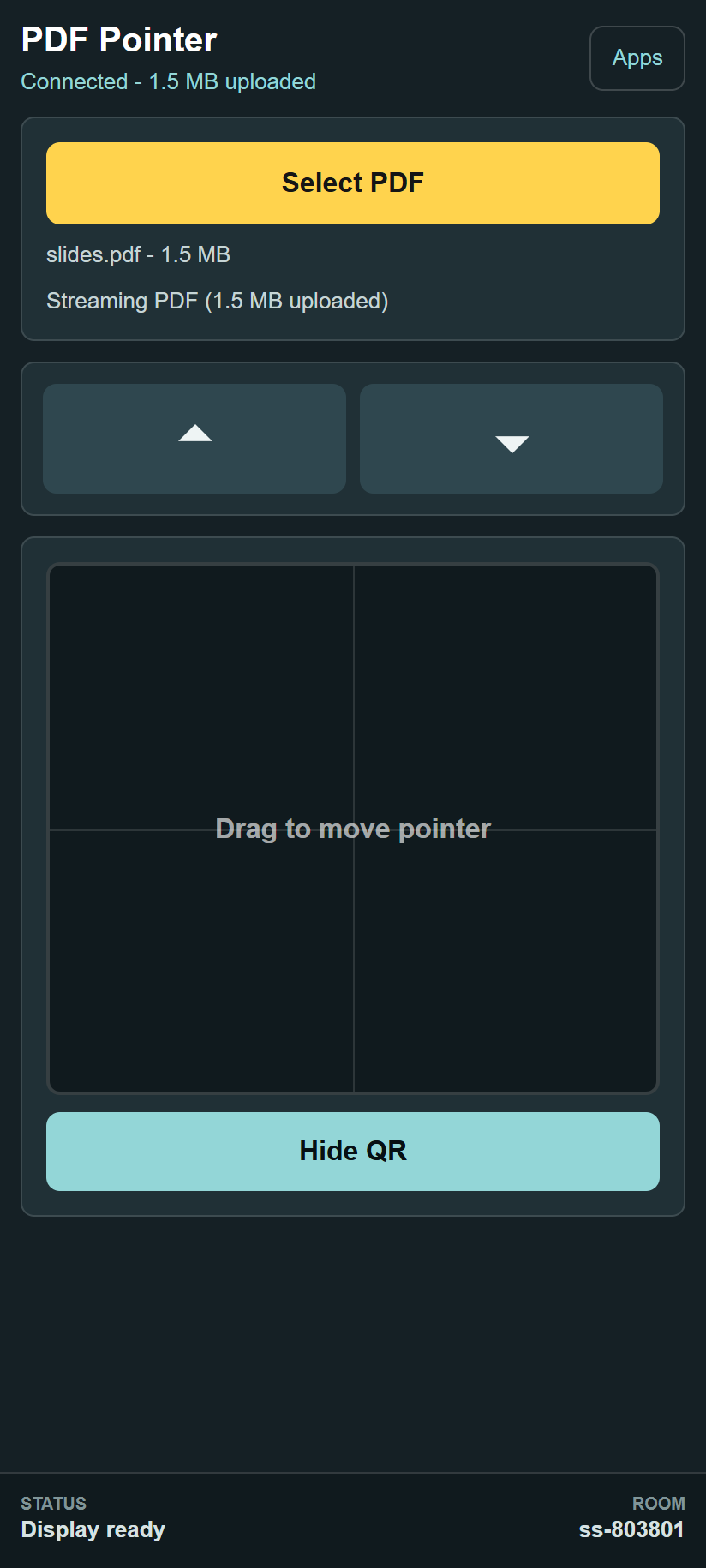
Keep this tab open while presenting. Closing or refreshing it can stop the display from loading the PDF.