Grow Cube

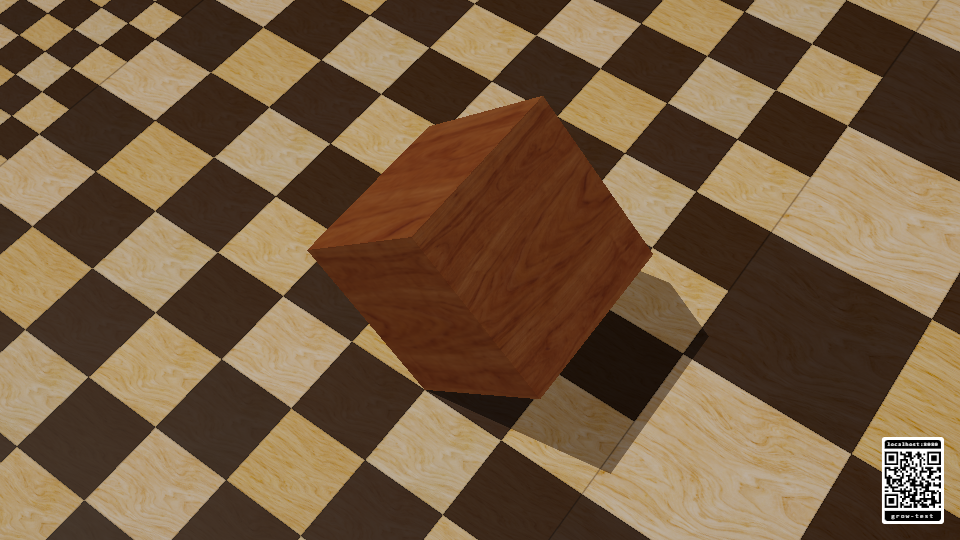
A satin walnut cube tumbles toward the lower right across a wooden chessboard floor, with creamy boxwood and deep chocolate-brown squares inspired by fine chess sets. Seven wooden cubes arrive from different directions, roll into place and climb onto the base to make a perfect 2 × 2 × 2 cube. Their grain lines up into one continuous wooden surface. The completed cube makes four more rolls in the same direction as the camera pulls back, arriving on a matching section of floor before the loop begins again.
Watch
Open Grow Cube on a display, or select Grow Cube from the RCWeb controller's Apps list. The animation starts automatically and repeats every 18.65 seconds. There are no playback controls or player limits.
- Walnut cubes on a cream and chocolate wooden chessboard, using five generated grain textures. Natural wood colours, restrained satin highlights and contact shadows give the scene the finish of a fine wooden chess set.
- Seamless flat faces and continuous grain as the cubes meet. The floor uses whole square tiles in fixed sections, with larger squares further along the route. Every cube landing follows the grid. At the loop endpoints, the cube fits exactly one square, with matching floor pattern and wood scale.
- Edge-by-edge tumbling and four climbing half-turns build both layers.
- Rolling resumes as soon as the last cube lands. Four brisk 0.8-second tumbles travel toward the lower right while the camera pulls back; the zoom pauses whenever it rests.
- A fixed downward camera angle keeps the wooden floor filling the view, with no horizon or animated tilts.
- Landscape and portrait layouts, with a fullscreen button that appears when you touch the screen or move the mouse.
- Playback follows the display's refresh rate, with automatic rendering resolution to help supported devices keep up.
Join the room
Scan the bottom-right QR code to open the standard RCWeb controller in the same room. Use its Apps list to switch the display to another app. Grow Cube does not need a separate controller, and each display plays its own loop.
JavaScript and hardware-accelerated WebGL are required. WebGL 1 browsers are supported, including devices with lower shader precision. The floor uses fixed square tiles to keep its pattern reliable on older graphics hardware. A compatibility warning appears if graphics cannot start. The room QR panel remains available so you can switch to another app.