RCGame
A little lakeside world to explore together. Walk around the park, climb the lookout tower, and operate a radio-controlled car, boat or flying quadcopter. Up to eight explorers can play at once; other devices can watch the shared world from above.
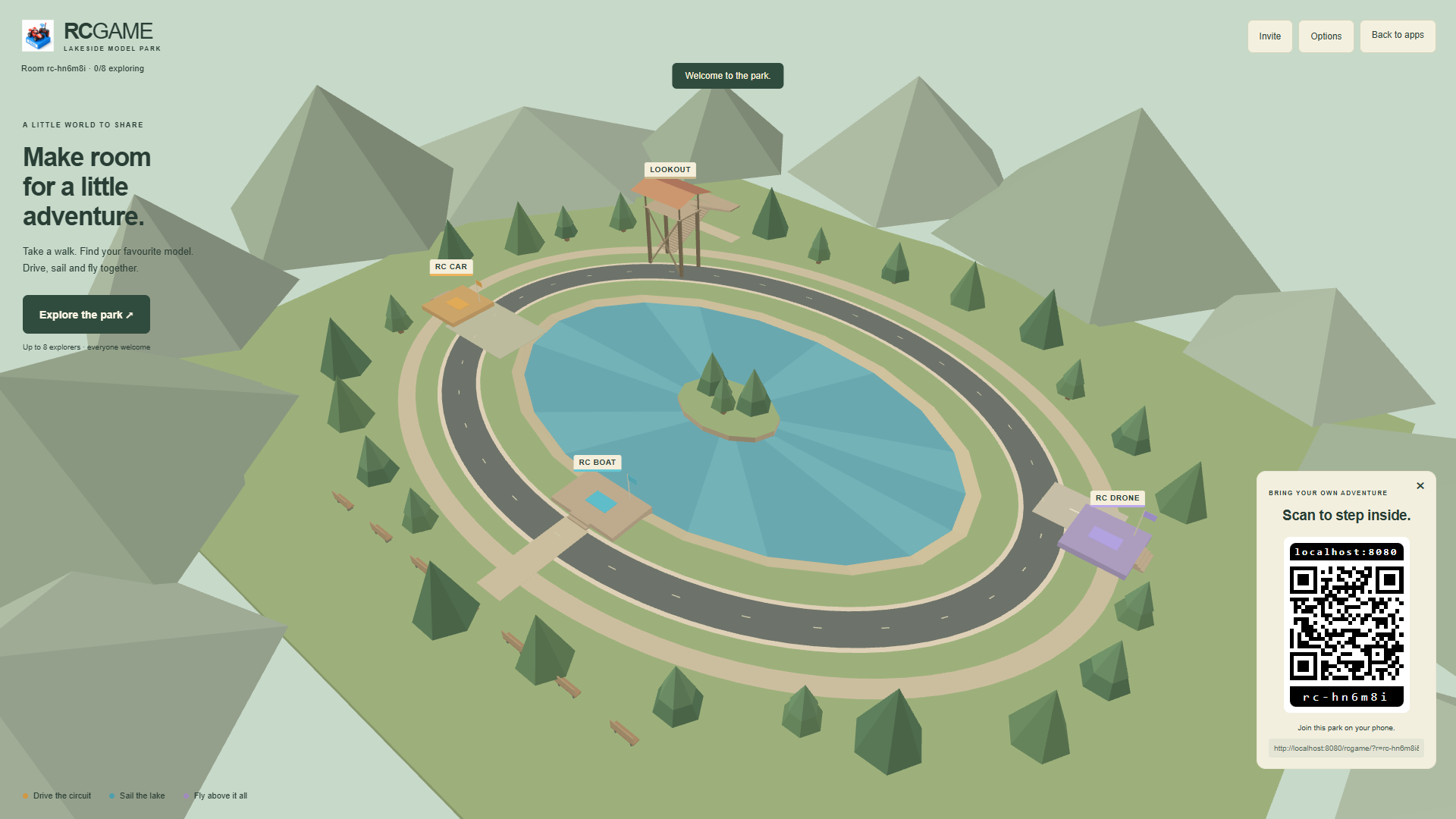
Enter the park
Open RCGame to watch from above. Select Explore the park to enter in first person, or scan the standard QR panel with another device. A scanned invitation enters play automatically when a place is available. Everyone must use the same room.
When sharing from the server computer, open the app using its network address instead of localhost so another device can reach the invitation. Launching RCGame from the app list keeps displays in overview and brings room controllers into the same app as explorers. There is no separate control app.
Use Options to change your name or graphics detail. Names use RCWeb's shared name preference. Invite shows the QR panel and a selectable invitation link. Back to apps returns only your device to the app list in the same room.
Walk and look
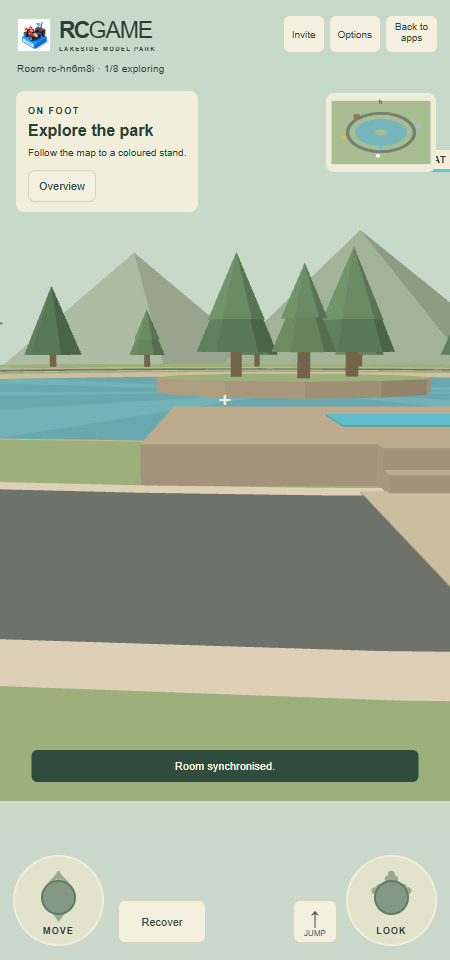
- Drag MOVE on the left to walk forwards, backwards or sideways.
- Drag LOOK on the right, or an unobstructed part of the world, to turn your head.
- Tap JUMP to clear small obstacles. Control-area steps and tower stairs can be walked up normally.
- On a keyboard, WASD moves, arrow keys look and Space jumps.
- The map shows the three coloured control areas and your position. The north-west tower has switchback stairs and a viewing deck.
The lake is for boats. Walk around its shore; the wooded island in the centre is surrounded by water. Characters cannot fly or build. Recover returns a walker to the entrance if needed.
Operate your RC model
Walk onto the gold car stand, blue boat dock or purple drone stand. A matching RC Car, RC Boat or RC Drone button appears. Press it, or E, to launch your own model, or retake control of the one you previously left. Multiple people can use the same activity at once.
Your character remains at the stand holding a radio. Your first-person view automatically follows and zooms towards the model, and watch for its YOUR CAR, YOUR BOAT or YOUR DRONE label. Other explorers see both you and your vehicle.
- Car: the left pad steers and accelerates or brakes. Reverse starts after braking to a stop. On a keyboard, A/D steers and W/S accelerates or brakes/reverses. Follow the outer track; grass slows the car.
- Boat: the left pad operates its rudder and forward/reverse throttle. The boat carries momentum and gradually slows when you release the controls. It stays inside the lake and sails around the central island.
- Drone: the left pad turns and moves forwards/backwards. UP and DOWN, or Space and Shift, change altitude. Releasing controls slows it to a stable hover. The quadcopter stays within the park and below its height limit.
- + / − Zoom: adjust the automatic zoom while operating any RC model. Stop RC restores the normal walking view and LOOK controls.
- Stop RC, or E, leaves the model exactly where it is and returns to walking at the same stand. Cars and boats stop; drones hold their position and altitude. Your parked models remain visible to everyone. Return to the matching control area and select its RC button to control the same model again. You can leave one car, one boat and one drone in the park.
- Recover, or R, returns the model to a clear launch position and stops its movement.
Cars and boats can bump other models of the same kind. Characters do not block one another, so everyone can use stairs and stands. This is an exploration park, with no scoring or damage system.
Playing together and reconnecting
One connected browser runs the shared simulation. Local movement responds immediately, while other players' motion follows confirmed room updates. Real network delay can still cause corrections during contact or a short pause when the connection stalls.
Switching tabs clears held controls. A connected background player keeps their model: cars stop, boats slow and drones hover. An actual disconnection reserves the player's place for 15 seconds. Reconnecting that tab can reclaim the model; select Resume RC before moving it again. Expired reservations free the player place and remove that player's active and parked models. Choosing Overview also leaves your player place and removes your models.
If the hosting browser leaves or becomes hidden, another foreground device can resume from the latest shared checkpoint after a short pause. If all devices are hidden, the world pauses. Keep at least one device connected to preserve the current session; there is no permanent world save.
Older devices and graphics
The app uses ES5 JavaScript and WebGL 1, with flat-coloured polygon models and no texture or rendering-library downloads. It requires working WebGL 1 and WebSockets. Mouse and multitouch fallbacks support browsers without Pointer Events. Fullscreen is optional.
Choose Low detail · older devices in Options to reduce scenery and 3D rendering resolution. Automatic starts Tizen and smart-TV devices in low detail with antialiasing disabled before opening the graphics context, and reduces detail on other devices after sustained low frame rates. The renderer retries both standard and experimental WebGL contexts and respects the GPU drawing-buffer limit. Text and controls keep their normal resolution. Storage failures leave the current visit usable, but may prevent a refreshed tab from reclaiming its identity.
If the world does not appear, the page reports graphics or script startup errors. Options shows the graphics context and drawing-buffer size. Compatibility depends on the browser and GPU. Feature-fallback tests in a current browser do not certify an untested older device.