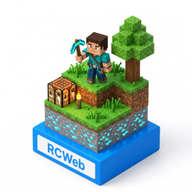
Neon Craft requires modern browser features such as WebGL 2 and modern JavaScript that older browsers don’t support.
Please open this room in an up-to-date browser or return to the app list.
Tap any block or tool to add a full stack to your inventory.
Smelt Iron/Gold Ore into ingots, Sand into Glass, Cobblestone into Stone, Logs into Charcoal, or Raw Stew into Roast.
Items placed here are synced live with everyone in your RCWeb room. Tap any slot to move items between Chest and Backpack.
Other players in the room see your avatar, held tool, and name immediately.
Scan the QR code or share the link so friends join your exact room and world.
Explore a 512×512×96 world: Discover sunlit meadows, oak & birch forests, golden deserts, snowy alpine peaks, spruce taiga, swimming lakes, and underground caves rich with Coal, Iron, Gold, Diamond, and glowing Neon Crystal ore.
Mine & Craft: Hold Mine (or Q / Left-click in Mouse Lock) to break blocks with proper tools. Open Craft (C or I) to turn logs into planks, sticks, torches, and a Crafting Table. Place and Use a Crafting Table for 3×3 tools, weapons, Furnaces, Shared Chests, Doors, Ladders, and Camp Beds!
Survival & Creative: Switch between Survival (mining, crafting, smelting, swimming, hearts & hunger) and Creative (free flight & full block catalog) anytime from the top mode pill or Options.
Keyboard & Mouse: WASD move, Arrows or drag look, L or double-click toggles Mouse Lock FPS look (Left-click mine/attack, Right-click place/use, Wheel hotbar), Space jump/swim/fly up, Shift sneak (edge-guard)/dive/fly down, 1–9 hotbar, C/I Craft & Bag, E place/use, Q mine, T room chat, F flight (in Creative).