Cosmic Voyage Control
Your phone is the flight deck for Cosmic Voyage. Browse 21 illustrated destinations, discover facts and spacecraft missions, and steer the shared display. Designed for explorers aged 10 and up.
Join a voyage
Scan the display's QR code, or open Cosmic Voyage Control in the same RCWeb room as the display. When Cosmic Voyage launches from the app menu, existing room controllers follow automatically.
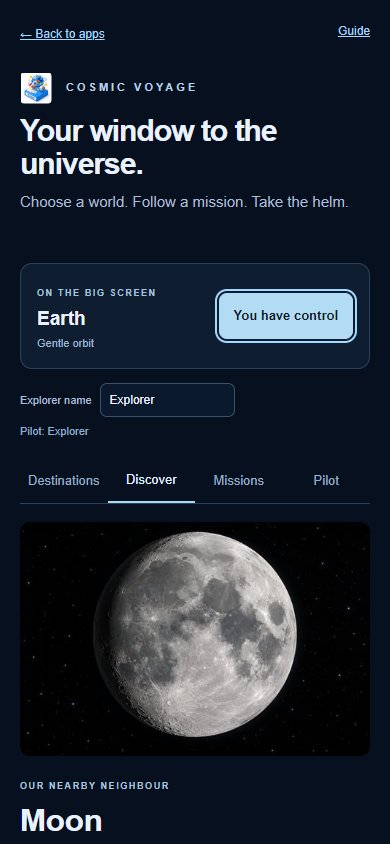
Enter an Explorer name of up to 24 characters. The name is shared with other RCWeb apps and identifies the current pilot. Any number of people can browse; one person controls the shared view at a time. Tap Take control to become the pilot.
Four ways to explore
- Destinations: search or filter the illustrated cards. Selecting a card opens its facts without moving the display.
- Discover: see measurements and facts, reveal the answer to a question, and travel to the selected destination. Show the current destination catches up with the display.
- Missions: see selected spacecraft, their launch and encounter dates, approximate journey times and source links. Distant telescope destinations clearly say that no spacecraft has visited.
- Pilot: look with the pad and hold a flight button to move. Release to stop. Use Recentre, Stop, Home to Earth and the guided tour controls whenever you need them.
Hold view to read pauses the shared view and rotating facts. Next screen fact advances the display's fact. These act on the destination currently shown on the display.
Display settings control the information panel, QR invitation, graphics detail and the automatic tour after 90 seconds idle. Lean is useful for older screens. The mission button displays a schematic spacecraft at the current destination, where one is available.
Real science, illustrated travel
The app's six-second journeys are accelerated. Real mission times are approximate launch-to-event intervals; a flyby, an orbit and a landing are different milestones. Telescopes observe distant objects without travelling to them.
The scene uses compressed distances, enlarged bodies and illustrated surfaces. Destination artwork is AI-generated. It is an interactive learning model, not live tracking or a precise atlas. Facts have NASA or ESA source links and were reviewed on 10 October 2026.
Connection and accessibility
Buttons give visible feedback when another person takes control. Releasing a flight button, leaving the Pilot section or losing the connection stops your input. If the display disappears, you can still browse facts while waiting for it to return.
The steering pad also accepts arrow keys when focused. Hold Space or Enter on a focused flight button to move. Controls have large touch targets and keyboard focus outlines. Facts require no audio.
Back to apps returns this phone to the app list in the same room while leaving the display running.