Catch ghosts. Pass the chaos. A strictly 2D, single-screen arcade platform game for 1–6 players, with direct touch play or separate phone controllers.
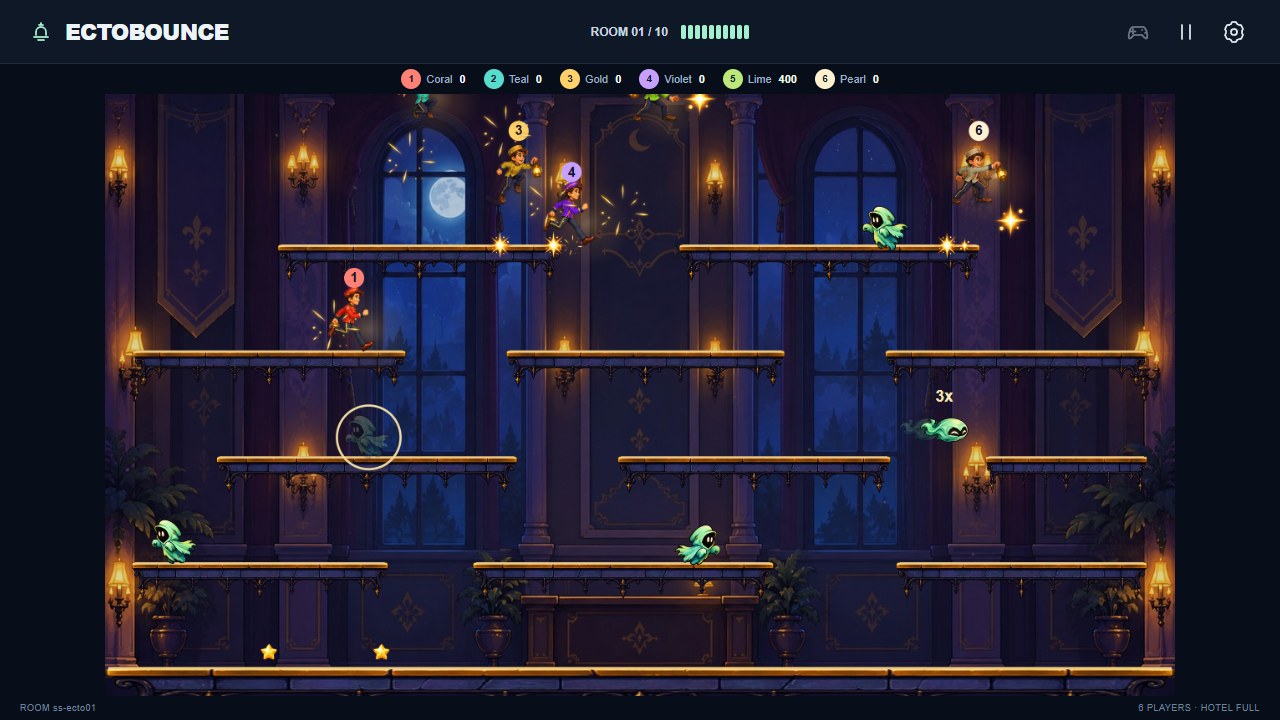
Six-player action in the Moonlit Lobby.

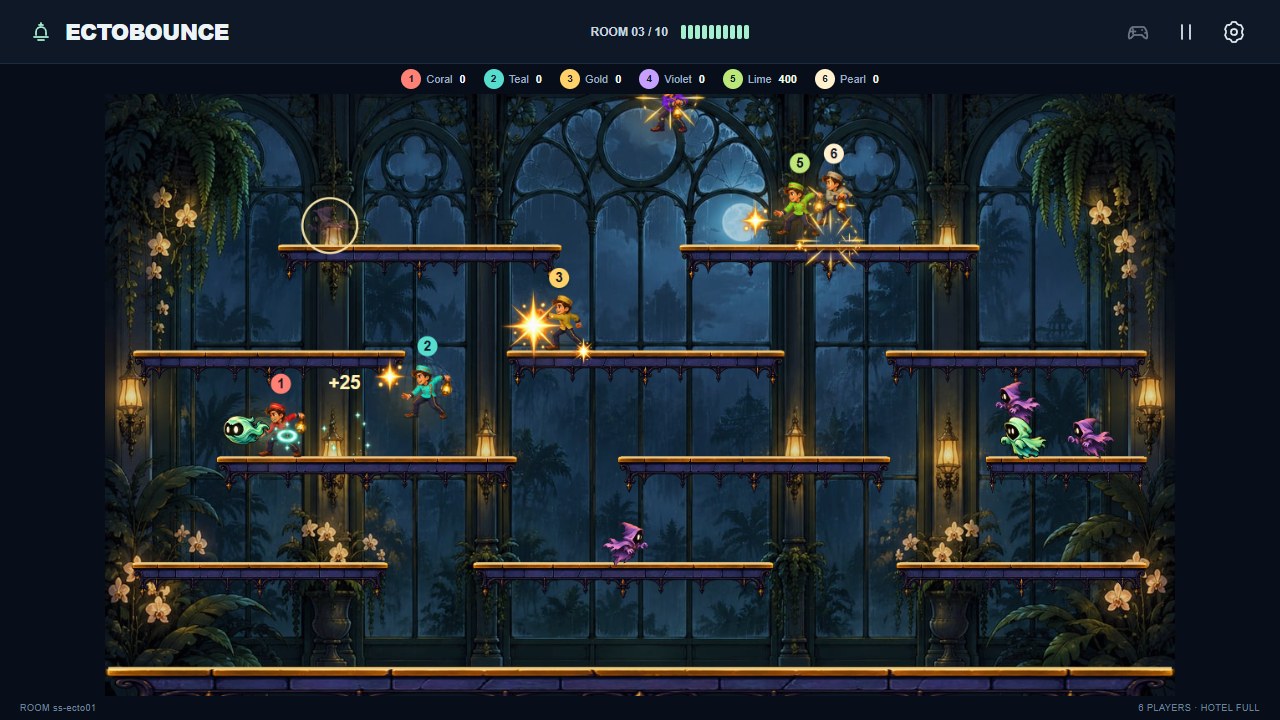
The Glasshouse of Whispers brings a new backdrop and more ghost varieties.

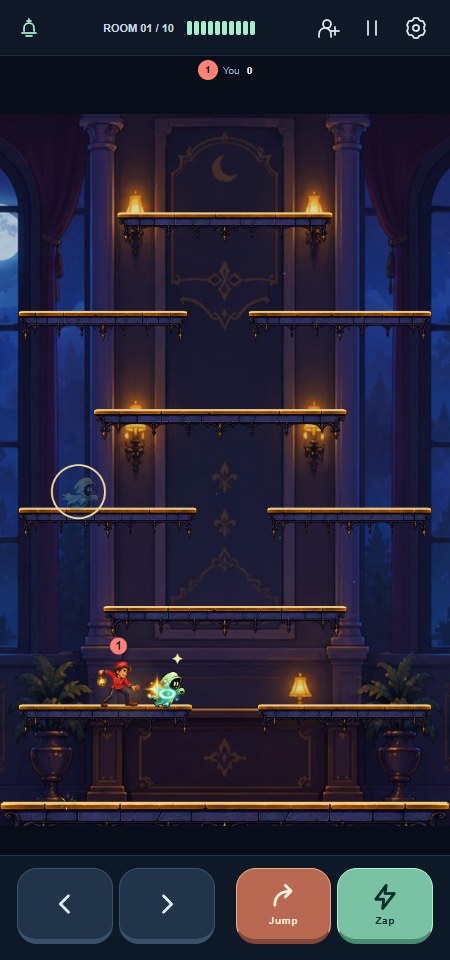
Portrait play with movement, jump and zap controls on the same screen.

The illustrated lobby guide explains the sequence: face a nearby ghost and press Zap to stun it, move into it with an empty lantern to capture it, then press Launch to fire it at other ghosts. Zap and Launch share the same button (X or Z on a keyboard). Aim by moving left or right, and launch within five seconds. The guide is also available in Settings and on each controller's first check-in and Menu.
Enter Your name in the lobby or Settings. Controller players can change their name in Menu. Names use the shared rcwebName local-storage key, are limited to 16 characters, and update the current player without losing their slot or score. If browser storage is unavailable, the name still works for the current page and the field reports that it cannot be saved.
On a smartphone, open /ectobounce/ and tap Play here. Fixed bottom controls move, jump and zap/launch; in spirit form, Jump and Zap become Fly Up and Fly Down. Touch play shares one local slot with the keyboard, leaving up to five slots for friends. The arena reserves space above the controls. The touch layout follows the visual viewport as browser bars move, uses safe-area padding for notches/home indicators, and falls back to innerHeight on older browsers. Rotating during a wave preserves its layout and match; the arena orientation changes between waves. Use a separate room if another viewer already hosts the current room.
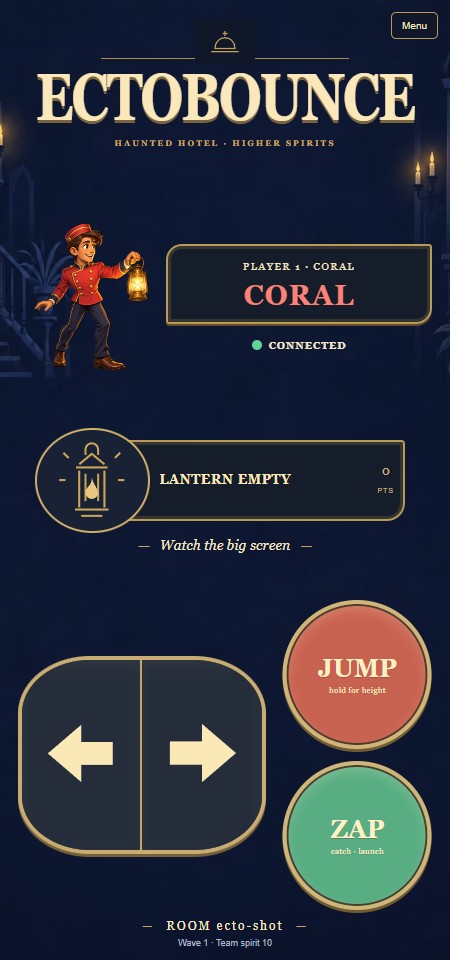
Open /ectobounce/ on the shared screen and scan its QR code with each phone. Controllers use /ectobounce-c/ in the same RCWeb room. The first connected player is captain and can start the game from their phone's Menu. Use a screen address reachable by phones; localhost on a phone points to that phone, not the TV or server.
After victory or defeat, every joined controller can choose Play again to restart from room 1, including when the viewer joined first. The viewer's end-of-game overlay closes automatically when the new game starts, and the crew keeps its existing player slots and connections.
Lobby and in-game invitations use the standard RCWeb QR panel, including the host header and room-ID footer. At widths up to 700 pixels, an Invite players link opens that panel in a modal with a Copy link button and selectable controller URL. Wider displays retain their inline QR panels.
On the shared screen, use the gamepad join button or press K to enter at any time, including during a wave. The keyboard uses one of the six player spaces alongside phone players; joining preserves the current wave, scores and pause state. Arrows or A/D move, Space/Up/W jumps, and X/Z zaps or launches. The lobby's Try with keyboard button also starts a solo practice session.
Original imagegen artwork includes ten individually painted rooms, separate gold-edged balconies, a coral-hooded lantern catcher, three expressive ghost species, ghost balls and magical effects. The run sheet has 16 poses, the action sheet 16 (idle, jump, attack, hurt/recovery), the detailed ghost sheet 48 (twelve per species and twelve ghost-ball poses), and the effect sheet 16: 96 authored animation frames. The new ghosts match the catcher with layered cloth, textured shading, warm rim highlights and expressive dark faces. Movement is simulated at a fixed 60 Hz. Six numbered colour identities are prepared once at load time; the lantern retains its amber light.
Every wave visits a different location: Moonlit Lobby, Whispering Library, Glasshouse of Whispers, Midnight Kitchen, Forgotten Ballroom, Hall of Forgotten Portraits, Drowned Bathhouse, Thirteenth Hour, Astral Observatory and The Last Seance. scenes.js defines this order. The next room preloads while the current wave plays; only current/next decoded images are retained. Lighting is painted into the compressed 1280x720 JPEGs, and the room/platform composite is redrawn only on room, size or quality changes. A failed room image produces a visible message and keeps the previous room playable; reload to retry. Replay returns to the lobby.
The runtime uses local PNG atlases, a cached painted room and tightly bounded light/effect sprites. Standard mode adds lantern glows, shot trails and drifting dust. Lean mode retains the artwork and all gameplay, removes optional ambient lighting/trails, and targets 30 rendered frames per second. Standard rendering targets 60. Neither mode requires WebGL, CSS filters, external fonts or a graphics library. Actual older-TV frame rates must be verified on the target device.
The game keeps the full landscape arena visible at 1920x1080 and 960x540. Portrait uses its own connected platform arrangement at 1080x1920 and 450x960. If a display rotates during a wave, the current arena is fitted until the next intermission, when the arrangement changes.
All ten rooms have different platform layouts in both landscape and portrait. Alternating library shelves, glasshouse islands, ballroom terraces and the clock room's staircase change the routes through the hotel. Every platform is reachable using the normal jump. Room changes place the crew safely on the floor and preserve their scores; replay restores the first layout. Platforms and the backdrop are painted into the same cache, so layout variety adds no ongoing drawing cost.
Each room has its own original score with a different melody, tempo, harmony and arrangement. Midnight Check-in, the lobby's music-box waltz, now runs at 152 BPM. All ten scores use a fast 144–168 BPM arcade pace, with tighter lead notes and rhythmic pulses behind the spooky harmonies. Nine 16-bar scores follow it:
The browser generates mono 22,050 Hz playback buffers with a short-lived Web Worker; browsers without a working worker use small, time-limited synthesis steps. Only the current and next scores are cached. The next score prepares while the current one plays; room changes use a 0.6-second crossfade with at most two music voices. If preparation is delayed, the current music continues until the new score is ready. Obsolete work is cancelled when skipping rooms or restarting. Muting silences both fade voices and remains in effect across room changes; enabling sound late selects that room directly. Pause/resume retains the current loop, and replay selects the lobby score.
After generation, native audio buffers handle playback with no ongoing musical synthesis. There are no WAV, MP3 or other audio-file downloads. The previous 2,940,242-byte WAV pair is archived under output/ectobounce/production-source/audio/ for reference.
Seventeen generated event sounds cover jump, landing, zap, stun, catch, launch, rebound, banish, star pickup, pass, rescue, hit, wave start, room clear, victory, defeat and shot expiry. Game events trigger them, with pitch rising on chains and a bounded effect voice count. The score and synthesis are original; no downloaded music or sound library is used.
Open Settings and tap Enable sound on the display (or press Enter there) to satisfy browser audio-interaction requirements. A remote phone cannot grant the display's audio permission. Music and effects have separate switches. The button displays Preparing sound… during initial synthesis; music and effects become available together when it finishes. Gameplay and existing sound effects continue during later score preparation. Preparation takes longer on slow devices, especially without a worker. Worker failure is reported before the incremental fallback; generation failures preserve working audio and provide retry instructions. Current/next scores plus the shared effect buffer remain below 10 MB in the tested room sequence; synthesis and an outgoing fade temporarily require additional memory. All ten full tracks are never retained together.
The lobby has one primary Play here button, a painted bellhop illustration, and a separate invitation action. Start crew appears only when remote players are waiting and the display has not joined locally. Touch controls are hidden until the game begins. During play, an icon toolbar provides invitations, pause and Settings; the room counter and segmented team-spirit meter replace long status labels. Sound, music and graphics options live in Settings. The touch buttons use vector arrows, a jump arc and a bolt, with short action labels and pressed-state feedback. Keyboard focus rings appear for keyboard navigation.
The UI reuses the existing painted character and local SVG icons; no new fonts, libraries, generated assets or runtime effects are required. Flat fills and the existing lean path support older screens.
One viewer is authoritative. Additional viewers visibly defer to the existing host. Phones send coalesced input changes and short state heartbeats; counters preserve brief button presses and sessions reject commands queued before reconnecting. Lost input releases movement after 350 ms. Reloading or reconnecting a controller retains the player's slot and score for the 20-second presence window. Newly opened controller tabs get separate player identities, even when opened from another controller. A seventh phone receives a room-full waiting state.
A viewer network interruption pauses the arena. A full viewer reload begins a new lobby; exact in-flight match recovery and mirrored spectator displays are not implemented. RCWeb is a trusted-room execution environment; app validation is not a security boundary against malicious room members.
engine.js: deterministic movement, collisions, combat, scoring and waves.graphics.js, scenes.js: Canvas renderer, wave backgrounds, sprite animation and palette preparation.audio.js, music-scores.js, sound-synth.js, sound-worker.js: ten original room scores, local synthesis, preloading, crossfades and bounded event playback.script.js: viewer UI, room hosting and fixed-step timing.interface.browser.test.cjs: single play action, Settings focus and keyboard isolation, icon bounds, pause/resume and lean layouts across eight screen sizes.touch-controls.js: optional direct touch input and visible-viewport layout; no additional dependencies. Mouse/keyboard displays and Tizen retain the shared-screen layout.touch.browser.test.cjs: direct play, simultaneous input, release/cancel/blur, ghost flight, phone sizes, rotation, simulated browser chrome/safe areas and the legacy viewport fallback.engine.test.cjs: behaviour tests; run node src/main/apps/app/ectobounce/engine.test.cjs from the repository root.browser.test.cjs: six-controller integration checks against localhost:8080, using the existing bundled Playwright and Chrome installation.multiplayer.test.cjs: six concurrent touch controllers, mid-wave joining, copied tabs, capacity and reconnect regression checks against localhost:8080.keyboard.test.cjs: keyboard joining during play, pause and intermission; five phones plus keyboard; input, repeated joining and toolbar layout checks.qr.test.cjs: comparison with the standard /v/ QR panel, label visibility, layout and working controller links in both display modes at all four target sizes.graphics.test.cjs: wave image caching, restart, stale image completion, visible failure and all 48 ghost-frame bounds.audio.test.cjs: ten distinct melodies/loops, deterministic PCM, effect envelopes, crossfades, current/next caching, stale/cancelled jobs, retry, playback toggles, chain pitch and voice limits.room-music.test.cjs: real worker/audio playback through all ten rooms, mute/replay/late enable, shared effects and six-player cooperative preparation under CPU slowdown.refresh.test.cjs: all ten rooms in the browser, zero audio downloads, worker/no-worker/failed-worker audio preparation and responsive input under CPU slowdown.art-prompts.md: imagegen prompts and production notes.music-source.cjs: optional reference WAV export into the production-source archive; unused by the game.Source concept art and generation/QA working files are saved under output/ectobounce/. New full-resolution rooms and transparent ghost masters are preserved in output/ectobounce/production-source/refresh/; runtime files are in assets/. Java backend and shared communications files are unchanged.