RCWeb Resolution Test
Size helps test the resolution, aspect ratio and pixel density of your display.
Screenshot
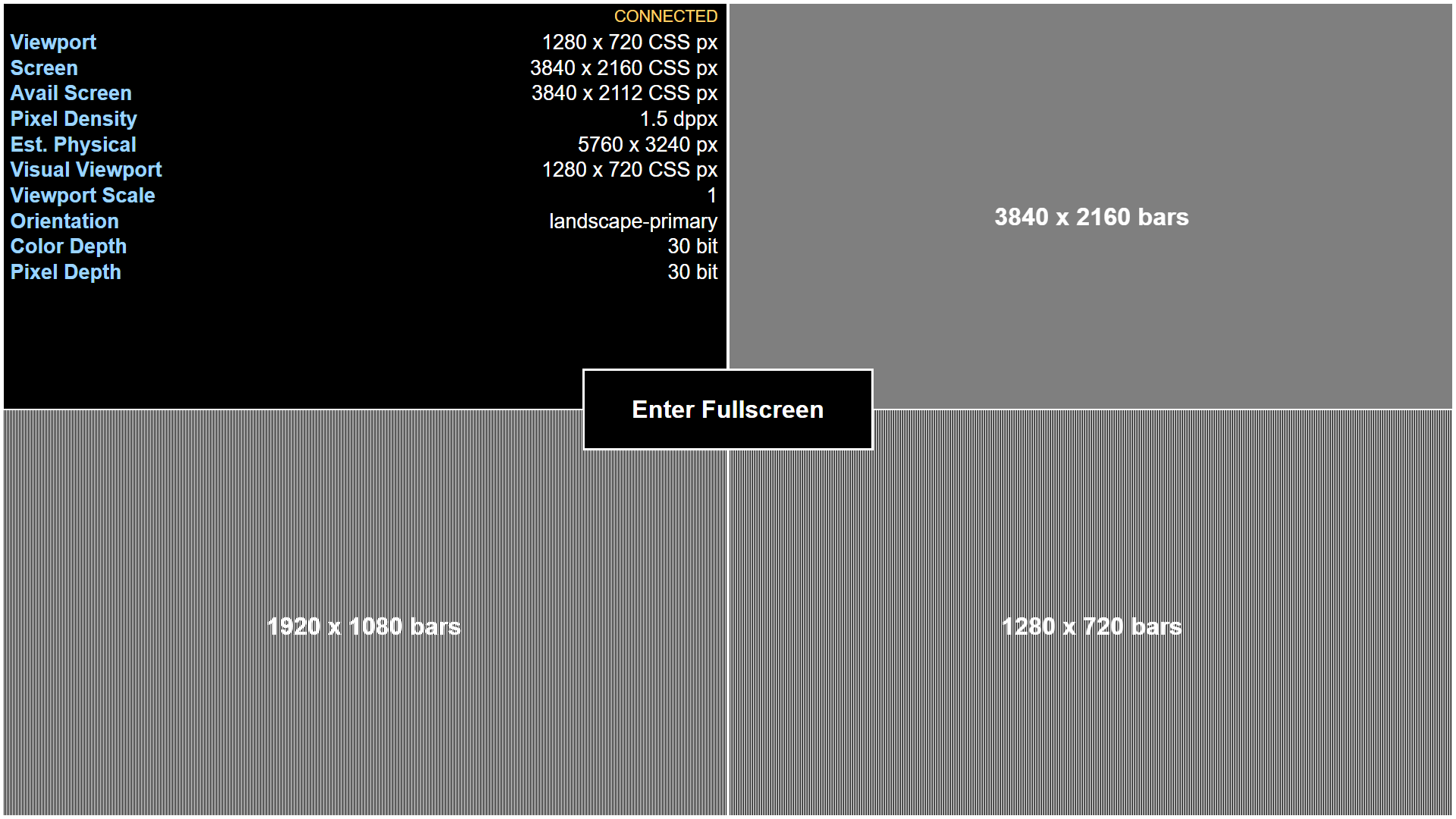
The screen is divided into four equal parts, each representing a viewport-sized quarter. The top left quarter shows live screen and viewport diagnostics. The other 3 quarters display 16:9 images of vertical bars. The bars alternate between black and white and are arranged in such a way that they will only be fully visible at native 4K (3840x2160), 1080p (1920x1080) and 720p (1280x720) resolutions respectively.
- Top right: These bars will only be fully visible at native 4K (3840x2160) resolution.
- Bottom left: These bars will be visible on 1080p screens.
- Bottom right: The bottom right bars will be visible on 720p screens.
If there are borders around the bars, the browser is not at 16:9. If the bars are not clearly visible, for example if they are a gray or have moiré patterns, the browser is not at the native resolution for that image.