RCWeb Quiz Pro
Quiz Pro turns a TV, projector, laptop, or large monitor into a colourful live game show. Players use their phones as private answer pads while the shared display presents each topic, question, countdown, answer reveal, live score, and final standings.
It is designed for a lively group quiz with up to eight players on the scoreboard, but it also supports complete one-player local play directly on the display.
- Shared display:
/quiz-pro/ - Phone controller:
/quiz-pro-c/
Screenshots
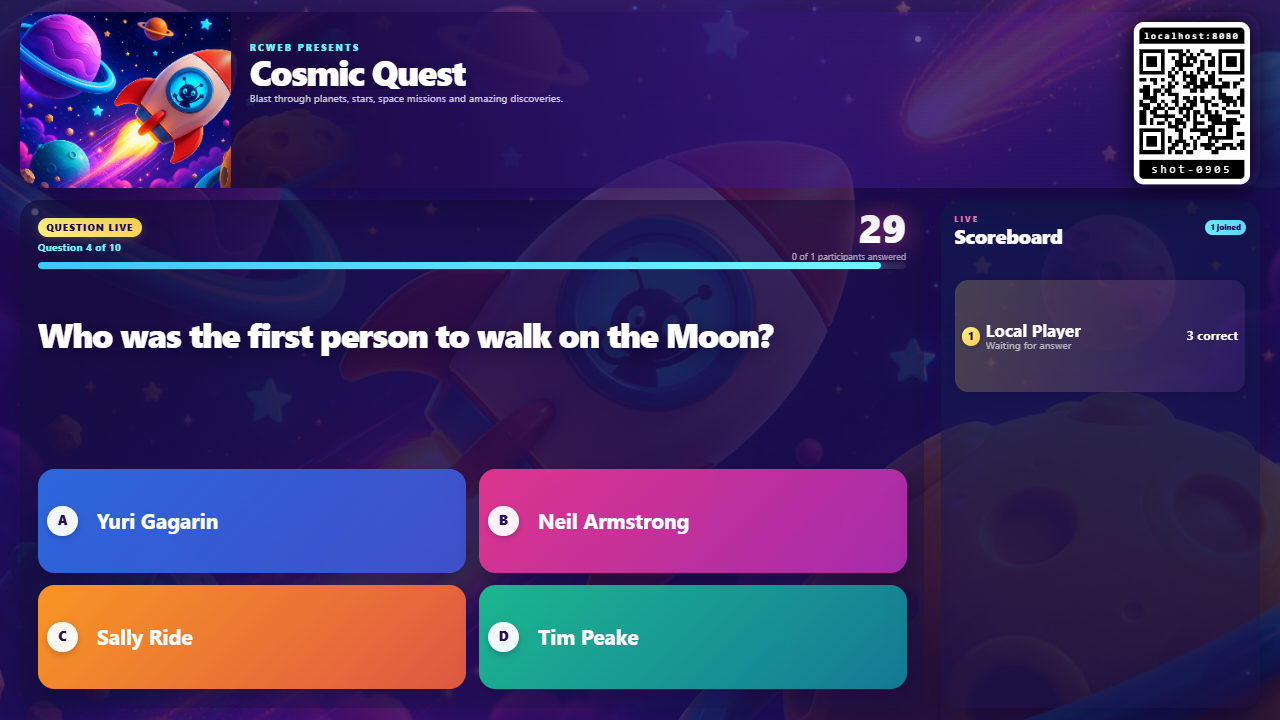
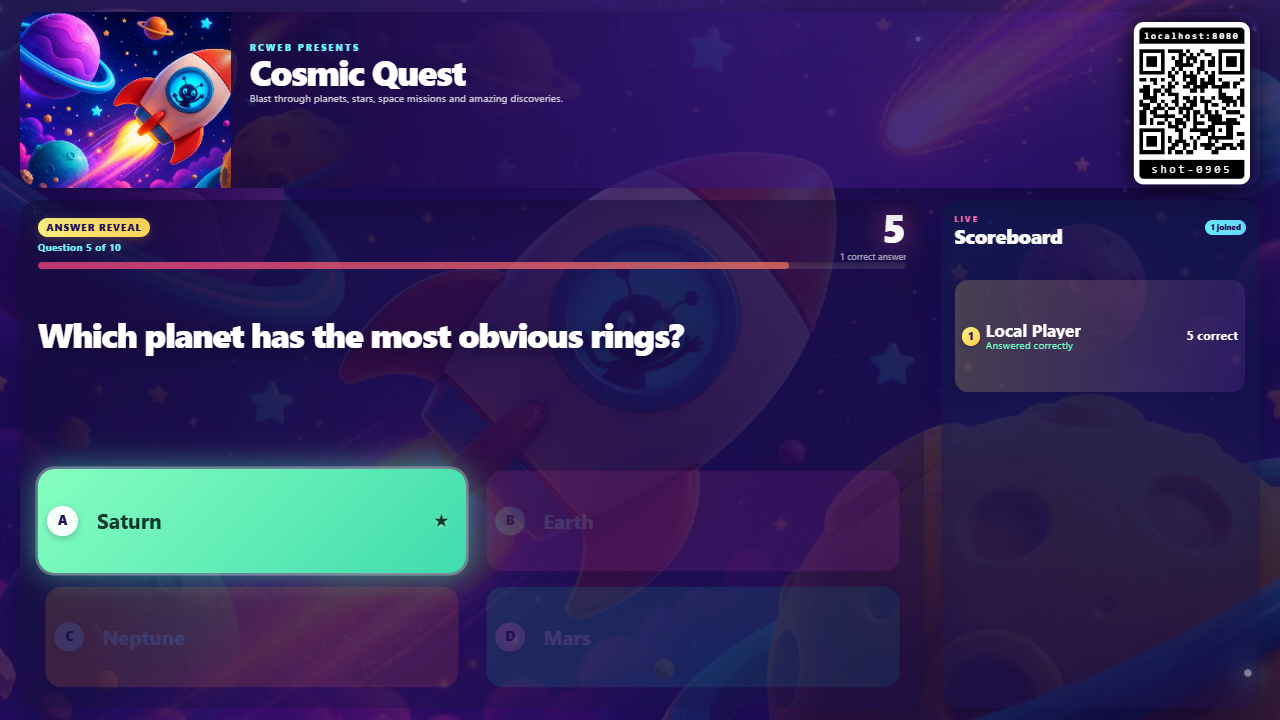
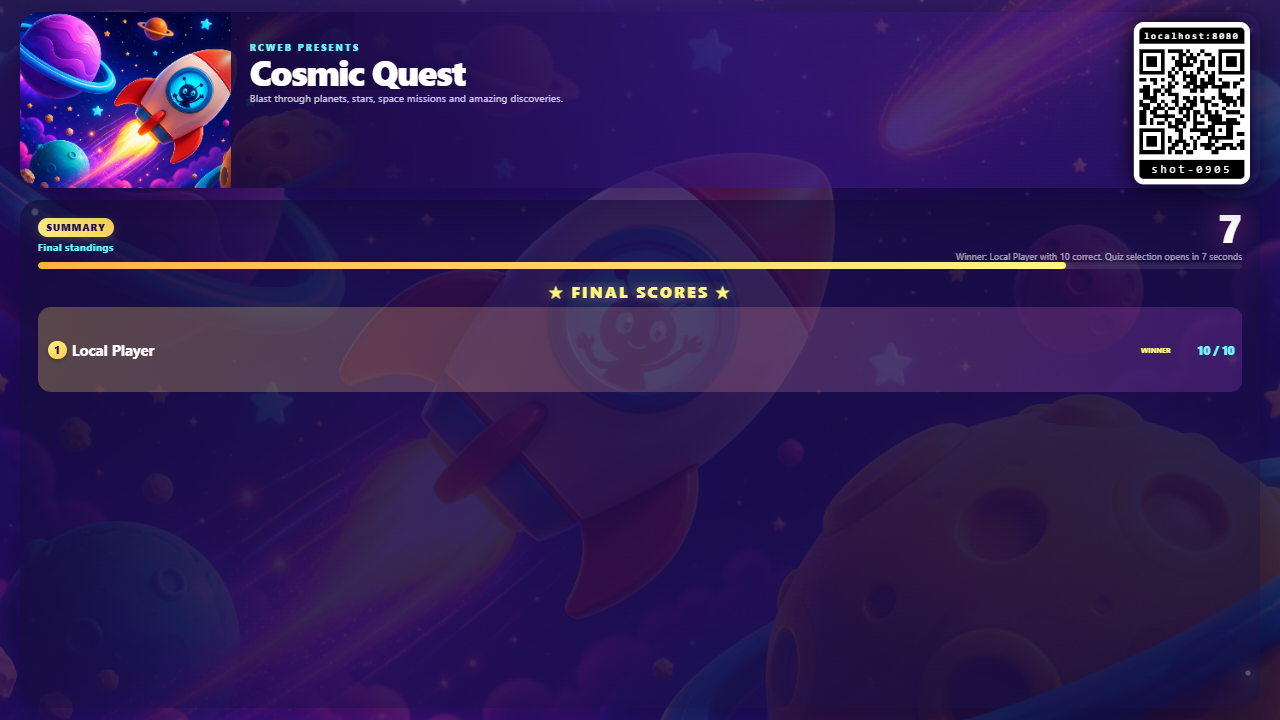
How to play with phones
- Open
/quiz-pro/on the shared screen. - Players scan the displayed QR code, or open
/quiz-pro-c/with the same RCWeb room in the URL. - Each player enters a name and chooses Join quiz. The name and player identity are saved on that device for easy reconnection.
- Choose one of the 15 quiz topics. A player can choose from their phone, or the host can choose on the shared display. The first valid choice locks in the next quiz for everyone.
- Tap an answer on the phone before the countdown ends. A choice can be changed while the question remains open.
- The correct answer is worth 1 point. After all 10 questions, Quiz Pro announces the winner or tied winners and shows the final standings.
Each question allows up to 30 seconds. If every active player answers sooner, the answer is revealed immediately. The reveal shows the correct option and the players who got it right, then the game advances automatically.
After the final scoreboard, topic selection opens again so the room can continue with another quiz. Quiz Pro remembers the suggested next pack on the display and rotates through the full collection.
Play locally without a phone
Quiz Pro can be played entirely on the shared screen:
- Tap a topic card on the display.
- Tap an answer when each question appears.
- Follow the answer reveals and score under the name Local Player.
The same controls work with a keyboard: focus an answer and press Enter or Space. Clicking the show title or subtitle toggles full-screen mode, and the Show QR button can reopen the join code whenever another player wants to take part.
The quiz collection
Quiz Pro includes 15 original packs, each containing 10 questions:
- Cosmic Quest
- Wild World
- Around the World
- Science Lab Live
- Game On!
- Sound Check
- Food Frenzy
- Stadium Stars
- Myths & Magic
- Deep Blue
- Biology Blast
- Chemistry Lab
- Maths Mania
- History Time Machine
- World War II: Remembered
What players see
The shared display keeps the room together with a large question stage, visual timer, answer progress, and live scoreboard. Phones keep answers private until the reveal, then provide personal correct or incorrect feedback with sound and supported-device vibration.
Quiz Pro automatically restores a returning controller's saved name and stable participant identity. If a phone reconnects, it receives the current question, remaining time, selected answer, score, and standings from the display.
Host tips
- Keep the display and every controller in the same RCWeb room; scanning the QR code does this automatically.
- Use one active Quiz Pro display per room. Opening a newer display in the same room safely retires the older one.
- If browser audio has not started, tap once on the display or controller to allow the countdown and reveal sounds.
- The display adapts to landscape and portrait screens and includes a lean-paint mode for older or low-powered signage hardware.
Powered by RCWeb
The quiz-pro display is the authority for the game. It loads the selected pack, starts and closes each round, records answers, awards points, and sends synchronized snapshots to every quiz-pro-c controller through RCWeb's room-based WebSocket connection.
This keeps the quiz consistent for the whole room while requiring no accounts, external libraries, or server-side quiz storage. The app is implemented with HTML, CSS, and ES5-compatible JavaScript.