Cubes

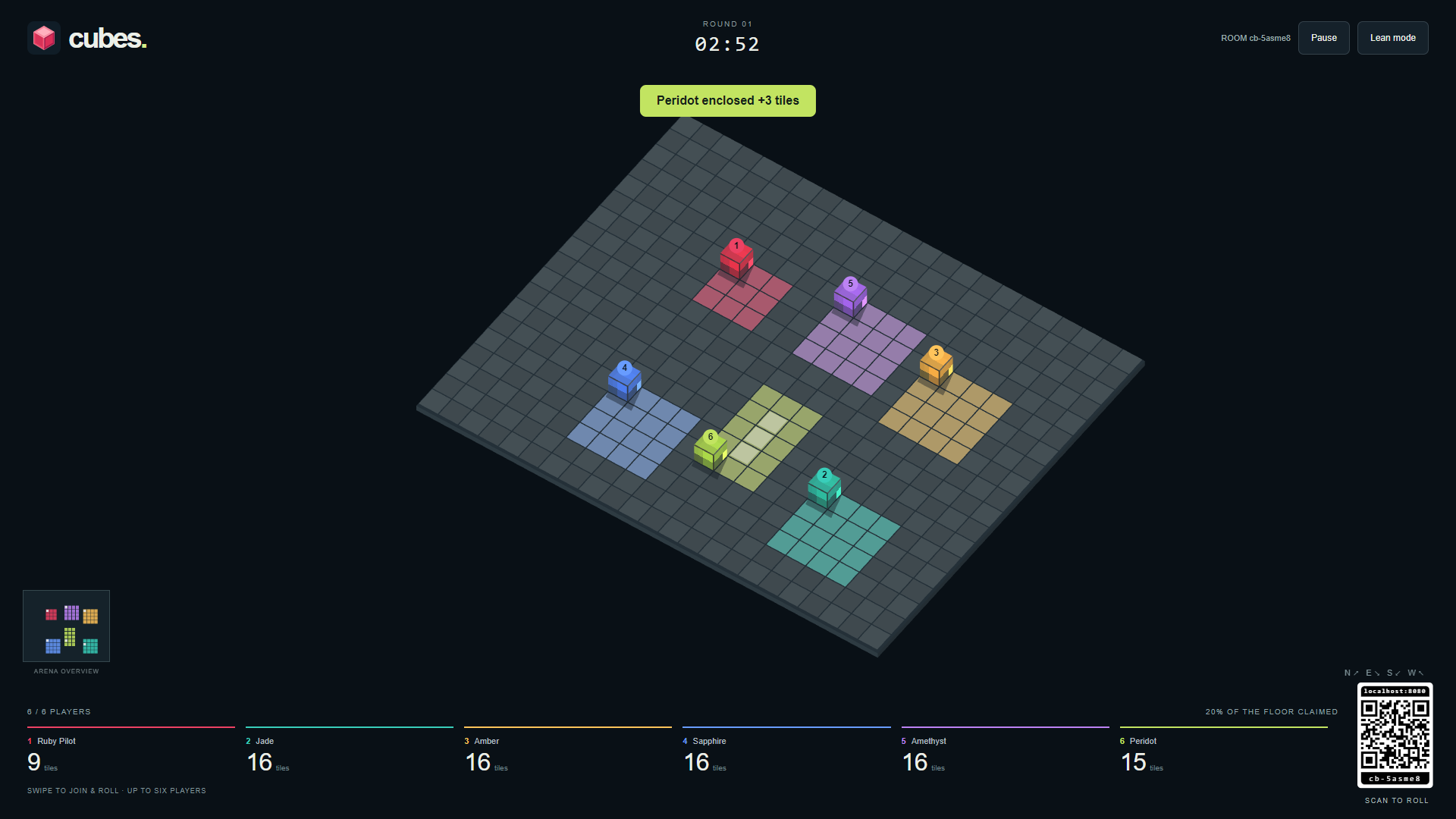
A little cube. A big takeover. Roll a polished gemstone across a shared floor, leave a trail of colour, and close rectangles to claim the tiles inside. Up to six players compete for the largest territory.
Join a game
- Choose Cubes in the RCWeb app launcher on your room controller, or open Cubes on the shared screen.
- Scan the screen's QR code to open Cubes Control on each phone in the same room. Existing room controllers switch automatically when the arena opens or a round starts.
- Each player receives a gemstone in a distinct colour: Ruby, Jade, Amber, Sapphire, Amethyst or Peridot.
- Edit your name on your phone. The first connected player is the captain and can select Start round. The display also has a Start button.
Play with 2–6 people for a competitive match, or practise alone. Players may join a round already in progress. A seventh controller waits for a space. The name field keeps up to 16 characters and shares your name with other RCWeb apps. Changing it keeps your cube and score.
Roll, enclose, conquer
- Swipe in the direction you want to roll. Each swipe moves one square in the nearest floor direction; the starting position does not matter. North, east, south and west follow the diagonals shown on the screen. You can also tap an arrow on the controller.
- Each landing paints the tile beneath your cube, including a rival's tile.
- Complete all four sides of a square or rectangle in your colour. Every tile strictly inside changes to your colour, including enemy territory. The outline must follow the grid and enclose at least one tile: the smallest is a 3 × 3 outline with one tile inside.
- Existing tiles of your colour can form part of an outline. A gap or a rival's colour on its border prevents a capture. Irregular loops do not count as rectangles.
- Cubes block one another. Wait or roll around another player; there is no pushing or elimination.
- Own the most tiles when the three-minute timer ends. Scores show the tiles you currently own, so territory can be stolen back. Equal scores share the win.
The camera pans and zooms to keep every cube visible. The small overview shows the entire floor. Match your cube's colour to the scoreboard to find your score.
Round controls
The captain or shared screen can pause and resume. After the result, select Play again for a fresh floor with the same players. Anyone can request a rematch.
Each roll has a glass-on-hard-surface scrape and clink, and enclosing tiles plays a rising chime. Effects play on the shared screen, including when you play directly on a smartphone. Use the speaker icon on that screen to enable or mute effects. A crossed-out speaker means sound is off or needs enabling. Your sound preference is remembered when browser storage is available. Pausing or leaving the screen silences active effects.
To play directly on a smartphone, open Cubes, enter your name and tap Play here. Swipe anywhere on the game screen to roll your cube. If a round is already running, your first swipe joins and rolls when a space is available. Buttons, links and name fields keep their usual actions.
For keyboard play on the display, select Play here, or press K to join. Use the arrow keys or WASD to roll along the labelled floor directions; hold a key to keep rolling. Touch and keyboard play on the same display share one of the six player spaces. Keyboard controls and holding an arrow with a mouse also work on the controller page.
Short controller disconnections reserve the same colour and score for 20 seconds. Movement stops when input is lost. After that grace period the slot and its territory are cleared for a new player. Keep the shared screen open: a full screen reload starts a new lobby. An additional screen in the room defers to the current host.
Use the leaf icon for Lean mode on a slower display. If 3D graphics are unavailable, the game uses a simpler cube view and stays playable.
On your phone, Back to apps opens the launcher in the same room without changing the shared screen.
Solo play
With one human player, Computer (AI) automatically joins as an opponent. It rolls and closes rectangles using the same rules, with a short pause between moves. It leaves and its tiles become neutral when a second human joins. If only one human remains after disconnected players time out, it returns. Completed round results stay fixed until the next round.