STEREOSCOPIC 3D FOR VR & MIXED-REALITY HEADSETS

True 3D games for VR headsets, right in your room.

Built for Meta Quest 3 and WebXR VR headsets — rendered in full stereoscopic 6DoF 3D straight from the headset browser. Walk 360° around solid circular AR tabletop worlds standing right in your living room, reach out with motion controllers, invite friends to drop traps from their phones, or stand inside a true 1:1 scale 3D musical stage — with zero app store installs.

  • True 3DStereoscopic 6DoF
  • AR + VRQuest 3 & WebXR
  • HRTF 3DSpatial audio
  • 0 MBStore installs
META QUEST 3 · 3D AR PASSTHROUGH
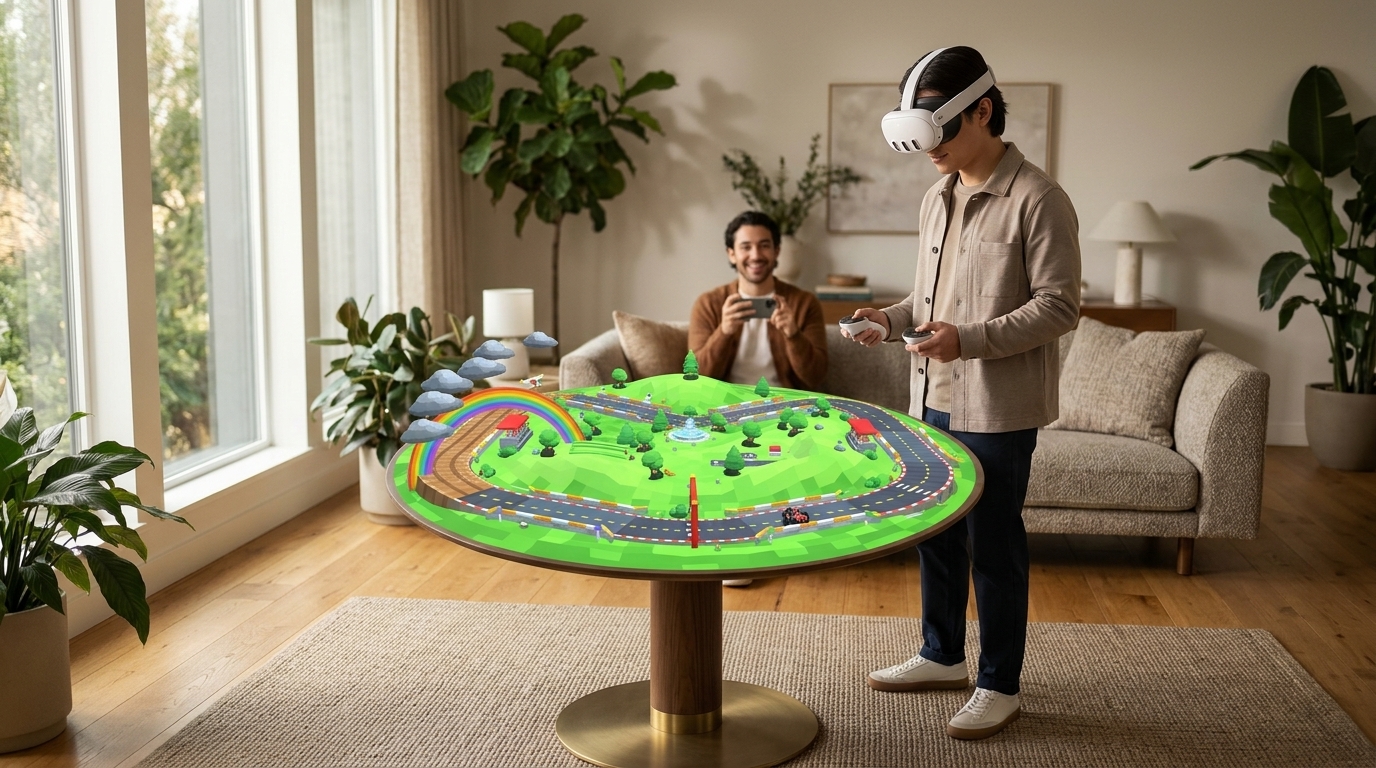
Illustrative Meta Quest 3 mixed-reality setting showing a player standing beside a circular walnut-and-brass PolyRoadBlock XR pedestal table grounded on the living-room rug while a friend watches on a smartphone 01 / QUEST 3 · POLYROADBLOCK XR
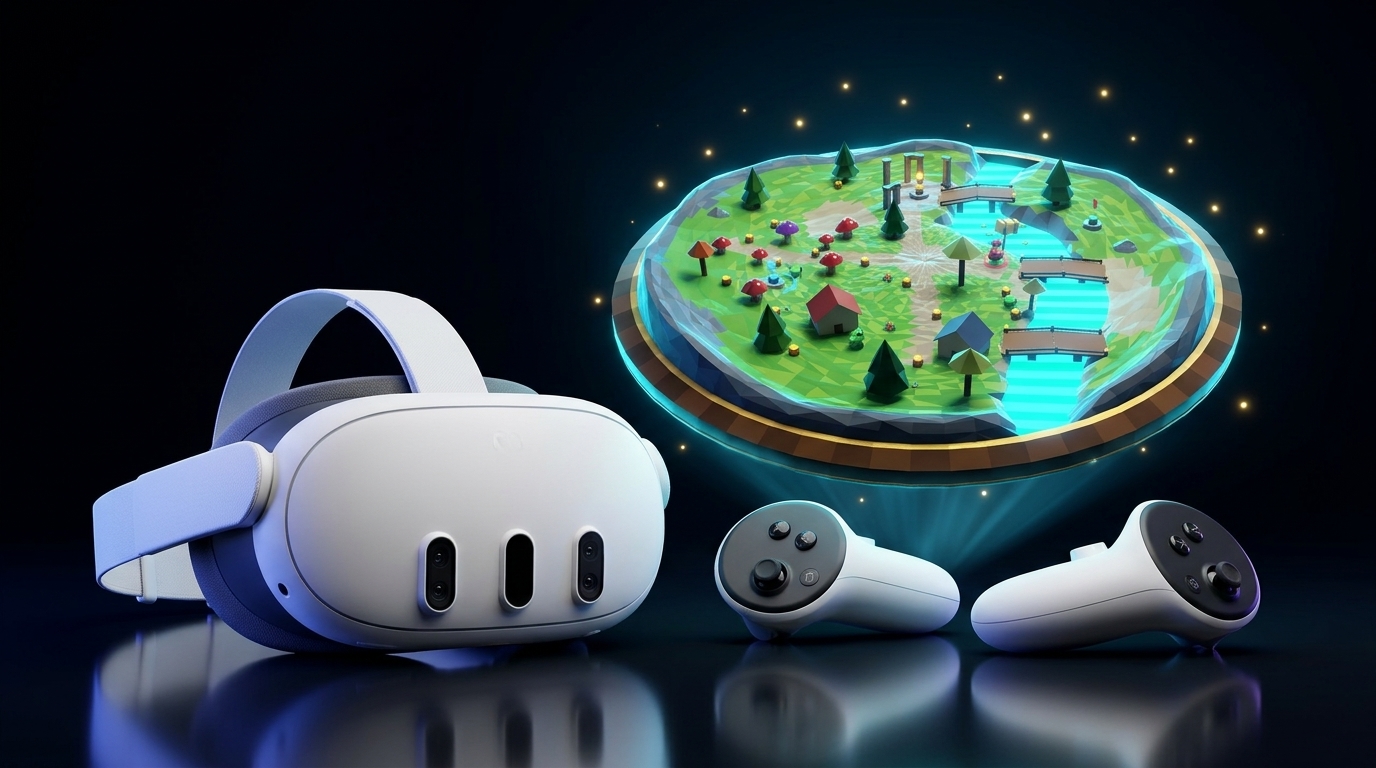
Illustrative Meta Quest 3 VR headset and Touch Plus controllers beside a glowing 3D holographic diorama of PolyBonk XR 02 / QUEST 3 · POLYBONK XR 3D
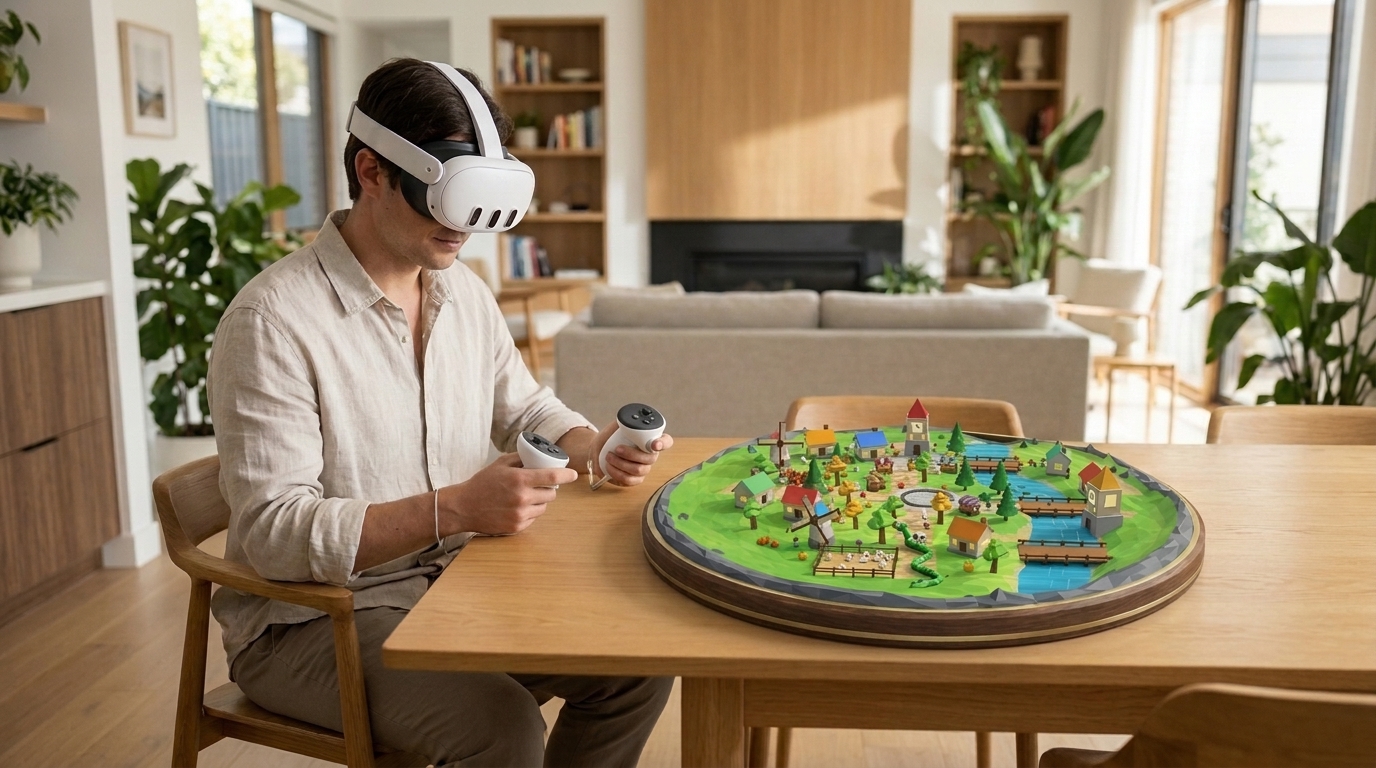
Illustrative Meta Quest 3 mixed-reality setting showing a seated player looking down at the circular 3D PolySnake XR tabletop tray resting flat on a real oak dining table 03 / QUEST 3 · POLYSNAKE XR AR
Illustrative Meta Quest 3 VR scene showing a player standing 1:1 on the wooden studio floor inside Pipe Dream XR surrounded by the glowing golden marimba, harps, drums, and flying chrome balls 04 / QUEST 3 · PIPE DREAM 1:1 VR

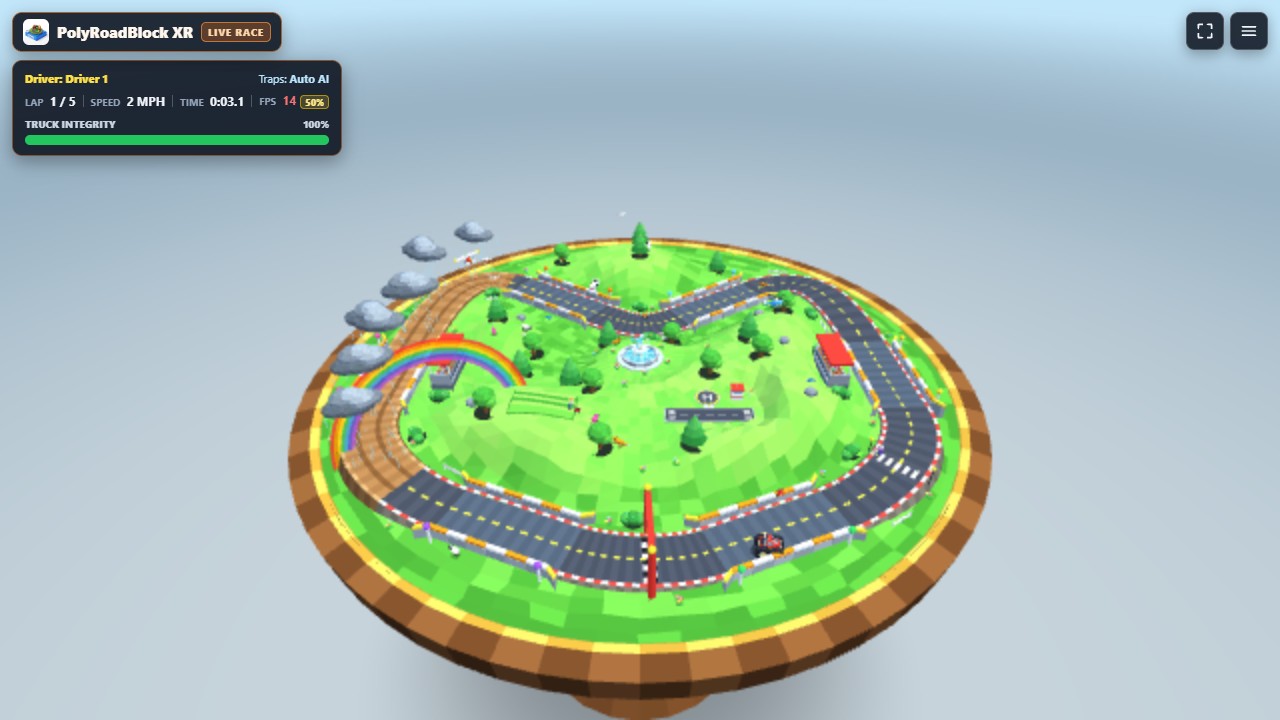
Illustrative Meta Quest 3 VR/AR scenes (centre) paired with real live in-game WebGL/WebXR captures (top-right).

STEREOSCOPIC 3D IN META QUEST 3 & WEBXR HEADSETS · PLUS DESKTOP PREVIEW Inspect real 3D captures 04 SPATIAL 3D EXPERIENCES
Stereoscopic 3D VR Meta Quest 3 AR Passthrough 6DoF Motion Controllers True 3D HRTF Audio Zero App Store Downloads

Interactive preview / 01—04

Pick a world.
Inspect every angle.

Switch between all four WebXR creations to preview multiple camera angles, core mechanics, and live links — or click any screenshot to open the full-resolution viewer.

01 / STUNT SURVIVAL + PARTY MULTIPLAYER

PolyRoadBlock XR

Drive a chunky low-poly Monster Truck across a hilly circular walnut tabletop and survive 5 chaotic laps through 21 quirky road blocks — from 360° loop-the-loops and giant strutting chickens to UFO tractor beams. Play solo, or cast your headset to a big screen and look at the floating 3D QR code above the table so friends can scan it from the TV and place traps live from their phones.

5 Laps6 walled chutes
21 Traps4 escalation tiers
1 + PhonesXR QR multiplayer
QUICK CONTROLS

Quest: R-Trigger gas · L-Trigger brake · Stick steer · Hold Grip to move/spin table. Desktop: WASD / Touch & Drag · C camera toggle.

The WebXR VR & AR collection / 01—04

Four 3D VR worlds.
Zero boundaries.

Each experience pairs an illustrative Meta Quest 3 VR/AR view with real live in-game WebXR captures — three circular AR tabletop arenas in your room, plus a 1:1 room-scale musical studio.

AR PASSTHROUGH · 3D VR · PHONES STUNT SURVIVAL

PolyRoadBlock XR

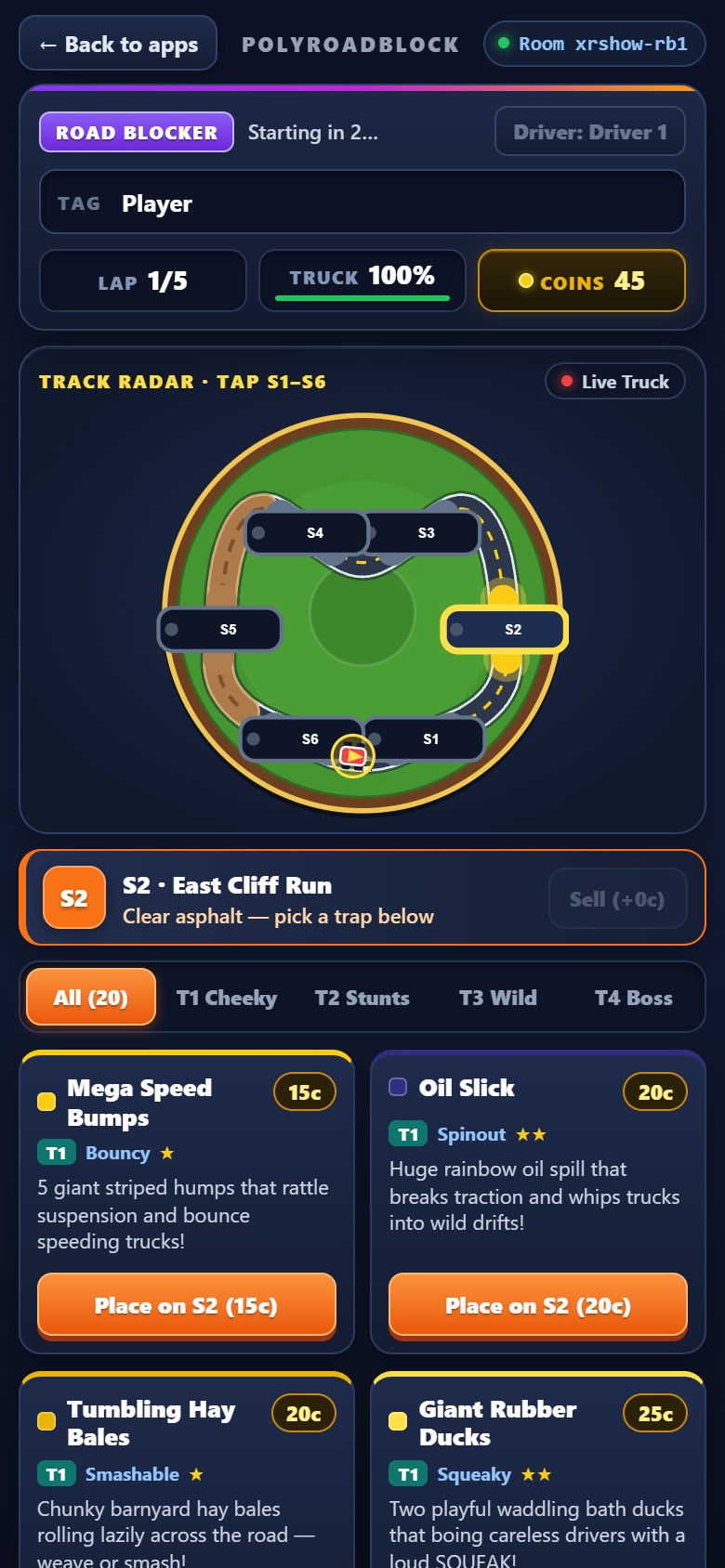
Pilot an oversized monster truck across a sculpted circular tabletop circuit featuring raised highway embankments, a central fountain, rainbow hills, and 6 walled road-block chutes (S1–S6). Master elastic rubber-tire suspension, 6-zone locational damage, and centripetal 360° loop-the-loop physics — while a hovering Rescue UFO swoops in if you flip, and one wheel off the walnut rim means instant wipeout.

To play with friends on phones while in VR/AR, cast your headset view to a big screen (such as a TV or monitor) and have the person wearing the headset look straight at the floating 3D QR code above the tabletop so everyone else can scan it from the big screen (or scan it directly on screen in desktop mode) to join via PolyRoadBlock XR Control and place 21 traps live while you drive.

  • 21 quirky obstacles
  • Floating XR QR panel
  • Live phone Road Blockers
  • Rescue UFO tractor beam
  • HRTF spatial stunt rock
AR PASSTHROUGH · 3D VR · STANDALONE ACTION ROGUELIKE

PolyBonk XR

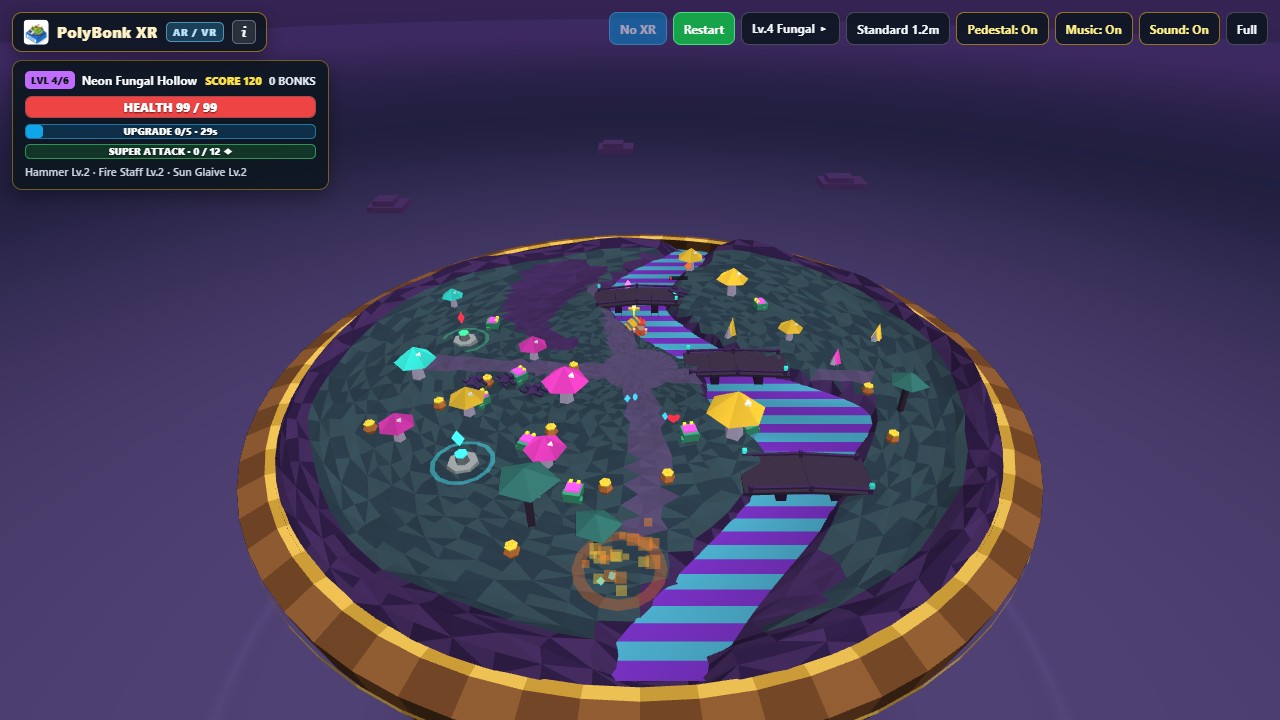
All six handcrafted worlds of PolyBonk miniaturized onto a circular walnut-and-brass gaming table standing right in your physical room. Weave through swarming monsters with 360° head-relative thumbstick controls while your 12 auto-weapons swing, slash, and arc crackling Storm Staff lightning across the diorama.

Pick 3-choice upgrade cards directly on the floating 3D tabletop HUD, charge green XP diamonds to unleash an emerald-gold Super Attack shockwave, and topple six towering bosses from King Bonk to Overlord Polyon — with Compact (0.9 m), Standard (1.2 m), and Grand (1.8 m) table scales plus Tray Only desk placement.

  • 6 biomes & bosses
  • 12 auto-weapons & 8 tomes
  • Floating 3D upgrade cards
  • Green-diamond Super Attack
  • 1-hand & 2-hand Grip move
AR PASSTHROUGH · 3D VR · STANDALONE TABLETOP ARCADE

PolySnake XR

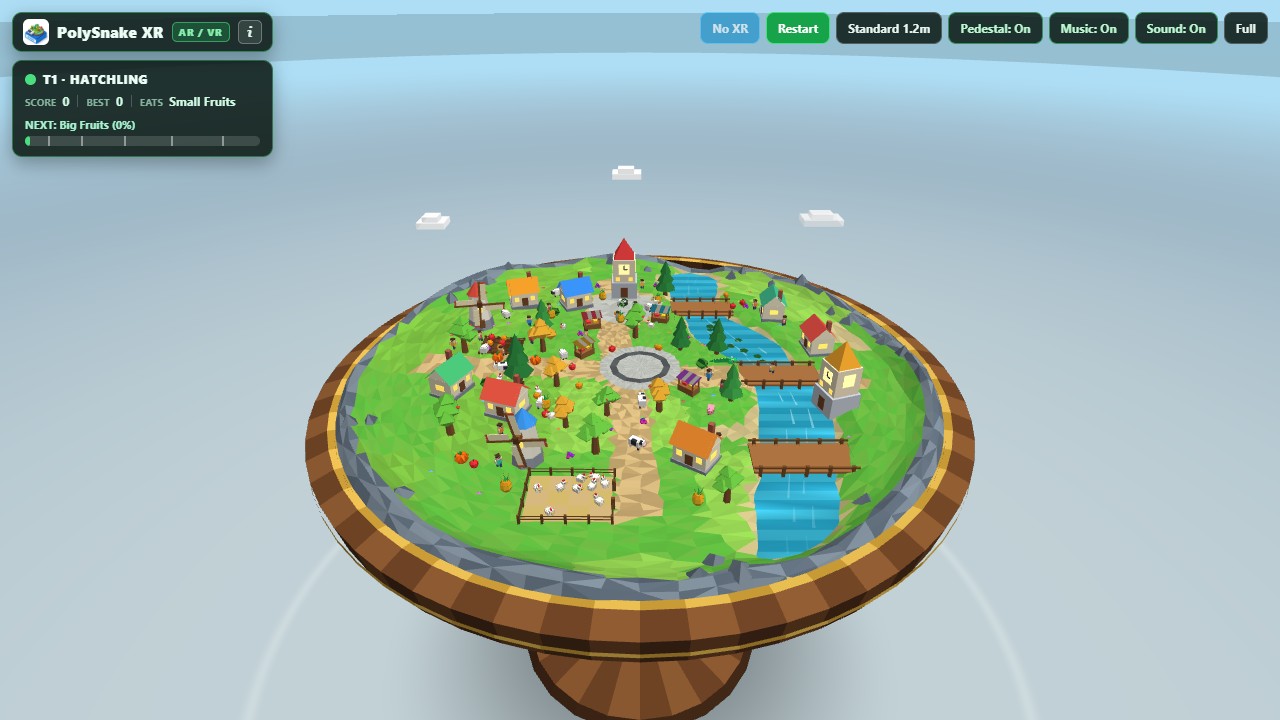
Place the vibrant low-poly world of Sunny Poly Valley right onto your living room floor or dining table. Start as a tiny Hatchling nibbling orchard fruits, then climb through all 6 growth tiers — devouring Big Fruits, Farm Animals, Villagers, Whole Trees, and finally entire Village Buildings.

Trigger Chomp Dash bursts around spinning windmills, dodge escalating Army tanks, heavy rockets, and supersonic fighter jet airstrikes swooping straight across your table in 3D HRTF spatial audio, and celebrate new High Scores with tumbling 3D tabletop confetti.

  • 6 growth tiers
  • Tanks & fighter jets
  • Chomp Dash & haptics
  • 3D spatial valley sounds
  • Pedestal or Tray-Only
1:1 ROOM-SCALE 3D VR · STANDALONE MUSICAL MACHINE

Pipe Dream XR

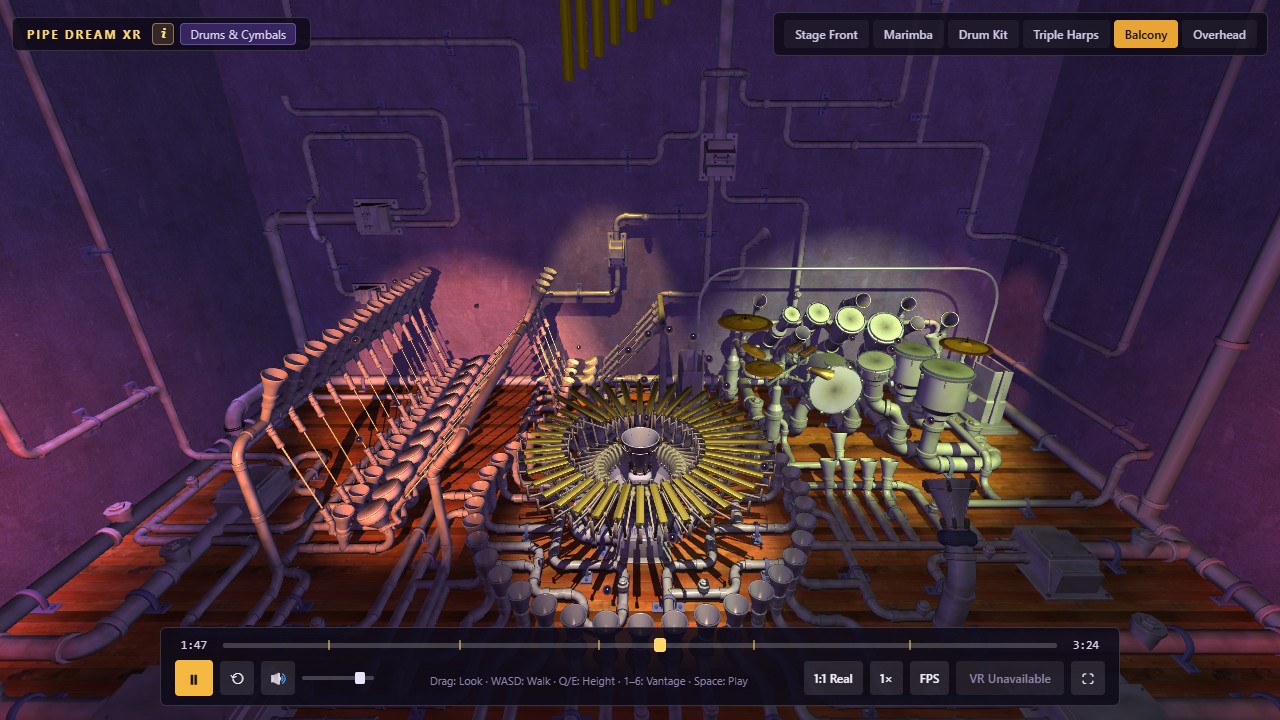
Step directly onto the wooden studio floor inside the real-time recreation of the classic 2002 ATI Radeon 9700 Pipe Dream musical machine. Calibrated to exact real-world room proportions via local-floor tracking: the radial golden marimba fountain glows at 0.94 m waist height, crash cymbals ring at 1.40 m, and tubular bells chime 5–7 m overhead as chrome ball bearings arc through the air in stereo-exact 3D.

Walk smoothly across the floor, teleport with a golden parabolic arc, jump between 6 curated vantage points, or shrink the entire studio to a Mini 0.45× tabletop diorama or expand to Giant 1.5× concert scale from the unobtrusive Rear-Wall Control Panel.

  • True 1:1 floor alignment
  • Mini 0.45× & Giant 1.5×
  • 6 curated vantages
  • Parabolic floor teleport
  • Stereo-exact reflections

Original Pipe Dream concept, music and art © 2001 Animusic LLC. Real-time demo © 2002 ATI Research, Inc.

Built in true stereoscopic 3D

Real 3D depth,
not a flat screen.

Screenshots are flat — inside a VR headset every world renders separately for your left and right eyes with full 6DoF head tracking, real-world physical scale, and tracked motion controllers.

Illustrative hardware view — Meta Quest 3 headset & Touch Plus controllers with PolyBonk XR rendered as a solid 3D tabletop diorama.

WHY PLAY IN A VR HEADSET?

Walk around the 3D miniature.
Lean right into the action.

When you put on a Meta Quest 3 or any WebXR-capable VR headset, RCWeb switches from a 2D monitor preview into full per-eye stereoscopic 3D at true physical dimensions. Lean down to watch your miniature monster truck jump a ramp inches from your face, walk to the other side of the circular walnut table, or look 6 metres straight up at Pipe Dream’s overhead tubular bells.

  • True Stereoscopic Depth: Independent left-eye and right-eye cameras with stereo-exact lighting and reflections.
  • 6DoF Room Tracking: Physically lean in, crouch, or walk 360° around your circular AR/VR tabletop.
  • Dual Motion Controllers & Haptics: Tactile thumbsticks, triggers, Grip grab-and-spin table placement, and vibration feedback.
01 / MIXED REALITY

AR Passthrough First

Tabletop titles probe immersive-ar first so the circular walnut arena stands in your actual room on Quest 3, seamlessly falling back to a sunlit or biome-matched VR studio on VR-only headsets.

02 / TACTILE PLACEMENT

Grab, Spin & Resize

Hold Grip with one hand to slide or lift the 3D tabletop anywhere in space, grab with both hands to twist-rotate it like a turntable, switch between 0.9 m / 1.2 m / 1.8 m sizes, or enable Tray Only on a real desk.

03 / IMMERSION

3D HRTF Spatial Audio

Every engine roar, sword swing, shattering pot, clucking chicken, and swooping fighter jet is spatialized in real-time HRTF Web Audio from its exact live 3D room coordinate as you lean in and walk around the table.

04 / SHARED PLAY

Headsets + Phones

No extra app installs for friends. In PolyRoadBlock XR, cast your headset to a big screen and look at the floating 3D QR code above the tabletop so everyone else in the room can scan it off the TV and join from their phone browser in seconds.

Hardware compatibility / WebXR Device API

Every VR headset
that supports WebXR.

WebXR is an open W3C web standard supported across standalone mixed-reality headsets, spatial computers, and PC-tethered SteamVR / OpenXR headsets — no app store required.

STANDALONE AR + VR Meta Quest Browser

Meta Quest Pro

Full WebXR support with colour mixed-reality passthrough, stereoscopic 3D VR, and self-tracked Touch Pro controllers directly in the built-in browser.

3D VR ✓Colour AR ✓Touch Pro
STANDALONE AR + VR Chrome / Samsung Internet

Samsung Galaxy XR (Android XR)

Full Chromium-powered WebXR support for both stereoscopic 3D VR and high-resolution colour AR passthrough, with spatial hand and controller input.

3D VR ✓Colour AR ✓Android XR
STANDALONE AR + VR Wolvic / PICO Browser

PICO 4 Ultra & PICO 4

Standalone 6DoF VR and colour mixed-reality passthrough. Use the open-source Wolvic browser (or latest PICO Browser) for full WebXR controller and passthrough support.

3D VR ✓Colour AR ✓Wolvic ready
STANDALONE AR + VR VIVE Browser / Wolvic

HTC VIVE XR Elite

Lightweight standalone headset supporting WebXR stereoscopic 3D VR and colour passthrough AR via VIVE Browser or Wolvic.

3D VR ✓Colour AR ✓6DoF
STANDALONE AR + VR VIVE Browser / Wolvic

HTC VIVE Focus Vision

Standalone and DisplayPort PC VR headset with stereoscopic colour passthrough and WebXR support in VIVE Browser, Wolvic, or desktop Chrome/Edge.

3D VR ✓Colour AR ✓Standalone + PC
STANDALONE VR + AR Meta Quest Browser

Meta Quest 2

Full WebXR 6DoF stereoscopic 3D VR and greyscale passthrough AR with Touch controllers. All four RCWeb XR titles run directly in Meta Quest Browser.

3D VR ✓Mono AR ✓No PC needed
SPATIAL COMPUTER Safari (visionOS 2+)

Apple Vision Pro

Supports WebXR immersive-vr stereoscopic 3D natively in Safari on visionOS 2 and later. WebXR AR passthrough is currently limited on visionOS, so tabletop titles automatically launch in their 3D VR studio environment.

3D VR ✓AR limitedvisionOS 2+
STANDALONE VR Wolvic / PICO / VIVE

PICO Neo 3 Link & HTC VIVE Focus 3

Standalone 6DoF VR headsets supporting browser-based stereoscopic 3D WebXR via Wolvic, PICO Browser, or VIVE Browser (with automatic VR studio fallback).

3D VR ✓VR Studio Mode6DoF
ENTERPRISE AR / MR Edge / ML Browser / Wolvic

Magic Leap 2, Lynx-R1 & HoloLens 2

Optical see-through and mixed-reality headsets with WebXR browser support. Note: game controls in this showcase are tuned primarily for dual 6DoF thumbstick motion controllers.

WebXR AR/MR ✓Spatial 3DEnterprise
PC VR · STEAMVR Chrome / Edge (Windows)

Valve Index

Full 6DoF room-scale stereoscopic 3D WebXR via desktop Google Chrome or Microsoft Edge hooked into SteamVR OpenXR with Index Knuckles controllers.

3D VR ✓SteamVR OpenXRRoom-Scale
PC VR · STEAMVR Chrome / Edge (Windows)

PlayStation VR2 (with PC Adapter)

Connected to a Windows PC via the official PS VR2 PC Adapter and SteamVR, opens all four RCWeb WebXR games in full OLED stereoscopic 3D straight from Chrome or Edge.

3D VR ✓OLED 6DoFPC Adapter + SteamVR
PC VR · STEAMVR Chrome / Edge (Windows)

Bigscreen Beyond & Beyond 2

Ultra-lightweight micro-OLED PC VR headsets running stereoscopic 3D WebXR seamlessly through desktop Chrome or Edge with SteamVR tracking and controllers.

3D VR ✓SteamVR OpenXRMicro-OLED
PC VR · STEAMVR Chrome / Edge (Windows)

HTC VIVE, VIVE Pro / Pro 2 & Cosmos

Full room-scale stereoscopic 3D WebXR support via desktop Chromium browsers connected to SteamVR OpenXR.

3D VR ✓SteamVR OpenXR6DoF
PC VR · OPENXR Chrome / Edge (Windows)

Pimax (Crystal, Light, 8KX) & Varjo (Aero, XR-4)

High-resolution PC VR and XR headsets supporting stereoscopic 3D WebXR in desktop Chrome or Edge through OpenXR / SteamVR runtimes.

3D VR ✓High-Res OpenXRPC Tethered
PC VR · OPENXR Chrome / Edge (Windows)

Meta Quest Link / Air Link, Oculus Rift S & HP Reverb G2

Any PC-tethered OpenXR or SteamVR headset — including Quest via Link/Virtual Desktop, Rift/Rift S, and Windows Mixed Reality / Reverb G2 (where OpenXR runtime is installed) — works with desktop Chrome or Edge WebXR.

3D VR ✓OpenXR / SteamVRPC Browser
Don’t have a VR headset handy right now? Every RCWeb WebXR game also runs immediately in 3D WebGL on any desktop, laptop, tablet, or smartphone browser — click any Launch link below to preview and play on screen.
See how to run

How to run & play

Three ways to
jump straight in.

Launch natively inside Meta Quest Browser, play immediately on any laptop or phone screen, or combine headset and smartphones in the same room.

  1. 01

    Open in Meta Quest Browser over HTTPS

    Put on your headset, open Meta Quest Browser, and go directly to any experience on your HTTPS RCWeb host — e.g. https://rcweb.live/polyroadblock-xr/, /polybonk-xr/, /polysnake-xr/, or /pipedream-xr/.

  2. 02

    Tap Enter AR / VR Tabletop (or Enter VR)

    Select the prominent XR launch button and allow browser spatial permissions. On Quest 3, the tabletop games open in colour AR passthrough right in front of you; Pipe Dream XR aligns its wooden studio floor to your real room floor.

  3. 03

    Play & reposition with Touch Plus

    Use Thumbsticks to move or steer, Triggers for gas, dash, and laser-clicking floating 3D panels, hold Grip to grab and move/spin the circular table (or aim a teleport arc in Pipe Dream XR), and press B / Y for the in-XR menu.

  1. 01

    Open any link in a modern browser

    No VR headset required. Click any of the Launch buttons on this page in Chrome, Edge, Firefox, or Safari on desktop, laptop, tablet, or smartphone.

  2. 02

    Click Play on Screen

    Every tabletop game features a full playable desktop mode with dynamic chase or 360° spherical orbit cameras; Pipe Dream XR opens directly in standing eye-height 360° studio look mode.

  3. 03

    Keyboard, Mouse & Touch controls

    Use WASD / Arrow Keys (or touch & drag) to drive, fight, slither, or walk. Right-drag, Q / E, and scroll wheel orbit and zoom. Press C in PolyRoadBlock XR for Chase vs Tabletop camera, 1–6 for vantages in Pipe Dream XR, and I for the full controls sheet.

  1. 01

    Cast your headset to a big screen & launch

    First, configure your VR headset to cast its view to a TV or big screen (for example via Meta Quest Casting), then open /polyroadblock-xr/ and enter AR/VR to become Player 1 · Driver — or host directly on a TV/laptop browser.

  2. 02

    Look at the QR code so friends scan the TV

    Have the person wearing the headset look directly at the floating 3D QR code above the tabletop so it fills the cast view on the big screen. Friends scan the QR code from the TV with their phone cameras to open /polyroadblock-xr-c/ and join straight into your room with zero logins.

  3. 03

    Earn coins & drop traps on S1–S6

    Road Blockers watch the live moving monster truck on their circular Track Radar, earn coins as it drives, and tap segments S1–S6 to buy, place, and sell 21 escalating obstacles in real time — or take the wheel if nobody is driving!

DIRECT LAUNCH DIRECTORY

Jump into any WebXR app right now

Browse full RCWeb catalogue
PolyRoadBlock XR /polyroadblock-xr/
AR/VR + Phone Control
PolyBonk XR /polybonk-xr/
AR/VR Standalone
PolySnake XR /polysnake-xr/
AR/VR Standalone
Pipe Dream XR /pipedream-xr/
1:1 Room-Scale VR

Good to know

Before you
enter XR.

Explore more of RCWeb

Put on the headset.
Or bring the room together.